


- Windows Hosting Explained (Simple Definition)
- Windows Hosting vs. Linux Hosting (What Actually Changes)
- Market Reality: How Common Is Windows Hosting?
- Core Features You Usually Get with Windows Hosting
- Pros and Cons: Clear Trade-Offs of Windows Hosting
- Who Should Use Windows Hosting (Best-Fit Scenarios)
- When Linux Hosting Is the Better Choice
- Choosing a Windows Hosting Plan: Shared, VPS, Dedicated, or Cloud
- Performance and Security Best Practices on Windows Hosting
- Migration and Deployment: Practical Examples and Pitfalls
- Windows Hosting FAQ (Quick, Clear Answers)
- Conclusion
Windows hosting gives you web hosting on a server that runs Microsoft Windows. It usually pairs Windows Server with IIS (Internet Information Services) and supports Microsoft-friendly tools like ASP.NET and Microsoft SQL Server. If you searched what is Windows hosting, you likely need a clear answer plus a practical way to decide if it fits your site, your app, and your team.
Web hosting keeps growing because more businesses rely on apps, online ordering, portals, and customer dashboards. One market report values the global web hosting services market at USD 126.41 billion in 2024, so you can expect more plan choices and more “Windows vs. Linux” decisions ahead.
Windows Hosting Explained (Simple Definition)
Windows hosting is web hosting that runs on Microsoft Windows Server. It typically uses IIS (Internet Information Services) to serve pages and apps, and it fits best when your site depends on Microsoft-focused tools like ASP.NET and SQL Server. If your project does not rely on those components, Linux hosting is usually simpler and offers more plan options.
1. What Windows Hosting Is (In Plain English)
Windows hosting means your website or web app runs on a Windows-based server environment. Your hosting provider manages the hardware and the network. Then, you deploy your site files and your database the way your plan allows.
Most Windows hosting plans use IIS as the web server. That matters because IIS handles requests, routes traffic to your application, and logs activity. In addition, Windows hosting often supports Microsoft stacks with fewer workarounds.
2. What Windows Hosting Is Not
Windows hosting does not mean your visitors must use Windows. Any modern browser on any device can reach a site hosted on Windows.
Also, Windows hosting does not mean you “remote into a desktop” by default. Some VPS and dedicated plans offer RDP access. However, many shared Windows plans focus on IIS + a control panel, not full server control.
Common confusion: Windows hosting describes the server environment, not the devices your visitors use. Your customers can browse from macOS, Android, iOS, or Linux. What changes is how your app runs behind the scenes and which tools your team uses to deploy and manage it.
3. The Core Building Blocks You’ll Hear About
When you shop for Windows hosting, providers often mention a few building blocks. You should recognize them because they affect compatibility and management:
- Windows Server: the operating system your hosting runs on, which influences tooling, permissions, and update workflows.
- IIS: the web server layer that routes requests, manages application pools, and writes server logs for troubleshooting.
- ASP.NET: a common framework for building web apps and APIs, especially when teams build in Visual Studio.
- Microsoft SQL Server: the database option that often drives the Windows decision when apps rely on stored procedures, views, or SQL Server-specific features.
- PowerShell: automation for deployments, maintenance, and repeatable server tasks.
Windows Hosting vs. Linux Hosting (What Actually Changes)
1. The Biggest Difference: Your App Stack
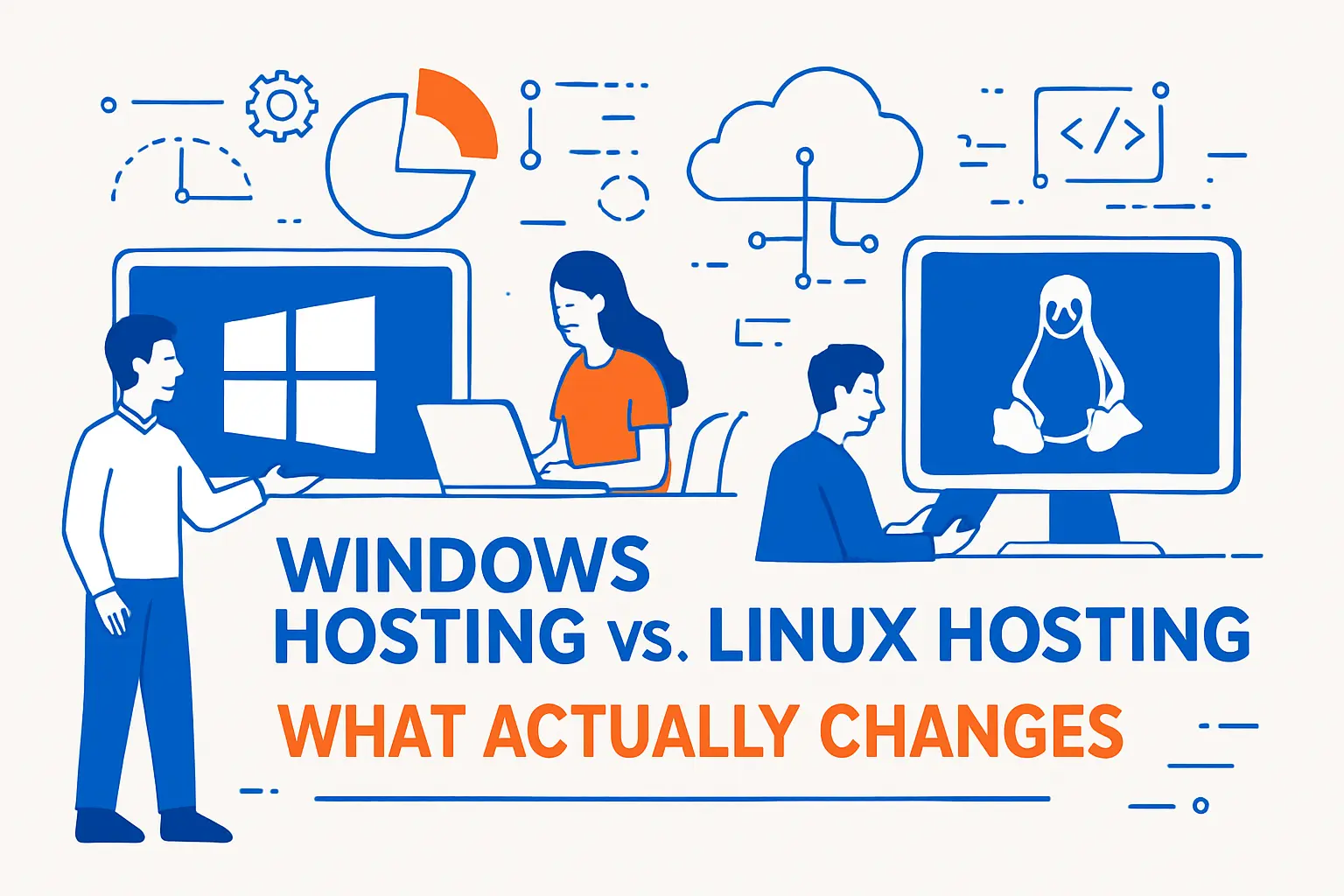
Your app stack drives the hosting choice more than your personal preference. Windows hosting shines when your application expects IIS, Windows authentication patterns, or Microsoft-only dependencies.
Linux hosting shines when your application expects Apache or Nginx workflows, or when your team standardizes on common Linux tooling and packages.
Decision shortcut: Pick Windows hosting when your application expects IIS, Windows-friendly deployment patterns, or SQL Server as the default database. Pick Linux hosting when your site runs common PHP apps or you want the widest choice of low-cost shared hosting plans.
2. Control Panels, File Paths, and Day-to-Day Workflow
Many Linux shared plans center on cPanel. Many Windows shared plans center on Plesk or a custom panel. That changes how you add domains, issue SSL certificates, manage email, and configure DNS records.
File paths and permissions also differ. For example, Windows uses drive letters and backslashes in many contexts. Linux uses a single rooted filesystem and forward slashes. If you move apps between the two, path assumptions often break first.
- SSL setup: confirm whether your plan automates certificates or requires manual installation.
- Scheduled tasks: check how cron-like jobs are handled (panel tools, Task Scheduler access, or provider-managed scheduling).
- Deployments: confirm whether you will use Git, FTP, Web Deploy, or a CI/CD pipeline.
- Permissions: validate upload folders, executable restrictions, and how the host isolates accounts on shared plans.
3. Databases and “Default Choices”
Linux hosting often pairs naturally with MySQL or MariaDB. Windows hosting often pairs naturally with Microsoft SQL Server. Of course, you can mix and match in many modern environments. Still, shared plans tend to push “the default” for the platform.
So, when you pick a host, verify what the plan includes and what it charges extra for.
Migration warning: Database changes are often harder than hosting changes. If your app depends on SQL Server-specific queries, stored procedures, or reporting logic, treat that as a core requirement. Do not assume you can “switch databases later” without time and testing.
Market Reality: How Common Is Windows Hosting?
1. Windows Server Presence on the Web
Windows holds a meaningful slice of production web infrastructure. A daily-updated web technology survey reports Windows runs on 9.5% of all the websites whose operating system we know. That tells you two things: Windows hosting is not niche, but Linux dominates overall.
What this means for you: Windows hosting is common enough that you can find stable providers and mature workflows. At the same time, Linux remains the default for mainstream CMS hosting, so you may see more “one-click” tutorials and broader shared-hosting feature sets on Linux plans.
2. IIS Usage in the Wild
IIS also stays relevant, especially for Microsoft-first teams and enterprise workloads. The same data source reports Microsoft-IIS runs on 3.5% of all the websites whose web server we know. In other words, it is not the default on the open web, yet it remains a real production choice.
In practice, IIS adoption stays strongest when teams build, deploy, and troubleshoot inside Microsoft tooling and want fewer cross-platform compromises.
3. The Internet Runs at Massive Scale
Hosting decisions also sit inside a huge and constantly changing web. A major monthly survey reports it saw responses from 1,389,596,802 sites. Even small percentage shifts can affect millions of sites, so platform ecosystems stay active on both Windows and Linux.
Practical takeaway: Choose the platform that makes your operations predictable. A stable deployment process, clear monitoring, and reliable backups matter more than small differences in stack popularity.
Core Features You Usually Get with Windows Hosting

1. IIS Hosting for ASP.NET Sites and APIs
If you run ASP.NET (including legacy ASP.NET Framework or modern ASP.NET Core behind IIS), Windows hosting often feels straightforward. You can publish from Visual Studio, deploy by Web Deploy, or use CI/CD to push builds.
For example, a typical small business might run an internal customer portal on IIS with forms authentication, file uploads, and PDF generation. Windows hosting supports that pattern well, especially when your team already builds and tests on Windows.
- Runtime support: confirm the exact .NET and ASP.NET versions your plan supports.
- Deployment method: confirm whether you can deploy via CI/CD, Git, FTP, or Web Deploy.
- Background work: confirm how scheduled jobs run for your app (built-in tools, Task Scheduler access, or a managed alternative).
- Logs and troubleshooting: confirm access to IIS logs and error details so debugging is not guesswork.
2. Microsoft SQL Server Support
Windows hosting often makes Microsoft SQL Server easier to provision and manage, especially in shared plans where the provider already standardizes its database tooling. This matters when your app uses SQL Server-specific features like stored procedures, SQL Agent-style scheduling patterns (or a provider alternative), or tight integration with Microsoft libraries.
Developer tooling also influences demand. In one developer survey, respondents reported using Microsoft SQL Server at 30.1%, which helps explain why many hosting companies keep SQL Server options available.
Plan reality: Some shared plans limit database size, concurrent connections, or performance features. Before you buy, confirm database capacity, backup frequency, restore access, and whether your plan supports the features your application expects.
3. Windows-Friendly Admin Options (PowerShell, RDP, GUI Tools)
Windows plans often support PowerShell automation. VPS and dedicated offerings may also provide RDP access, which many Windows admins find faster for routine maintenance.
This matters when you need to troubleshoot quickly. For instance, you can inspect Event Viewer logs, confirm Windows services run correctly, and review IIS application pool settings without switching mental models.
Quick rule: If you only need to host a simple site, a shared plan with a panel is often enough. If you need deeper server control, custom components, or repeatable automation, a VPS plan is the place where PowerShell and RDP access usually become more useful.
Pros and Cons: Clear Trade-Offs of Windows Hosting
1. Advantages That Often Matter in Real Projects
- Strong compatibility for Microsoft stacks (IIS + ASP.NET + SQL Server patterns)
- Familiar operations for teams that already manage Windows servers
- Good fit for certain enterprise integrations, such as Windows-based identity and permission models
- Clear deployment workflows for many Visual Studio and Azure DevOps pipelines
These strengths matter most when they reduce risk. If your app already relies on Microsoft components, Windows hosting can cut setup time and reduce “mystery errors” after launch.
When your stack is already Microsoft-first, Windows hosting can reduce change risk because you keep your app behavior, deployment expectations, and database conventions consistent.
2. Downsides You Should Plan Around
- Licensing and plan pricing can trend higher, depending on the provider and included software
- Shared hosting limits may restrict certain IIS modules, registry tweaks, or server-wide settings
- Smaller plugin ecosystem compared with the Linux shared-hosting world for some developer stacks
These issues do not make Windows hosting “bad.” Instead, they shape your plan choice. For example, a low-cost shared plan may not suit an app that needs custom IIS modules or background services.
3. The Biggest Hidden Risk: Picking Windows When You Don’t Need It
Many sites do not need Windows hosting. If you run a standard CMS with common plugins, Linux hosting may offer more one-click tooling and more community troubleshooting resources.
So, treat Windows hosting as a compatibility decision, not a branding decision. Essentially:
- You probably need Windows hosting if your app requires IIS configuration patterns, Windows authentication, or SQL Server as a hard dependency.
- You probably do not need Windows hosting if you run WordPress, a typical PHP CMS, or a simple marketing site with standard plugins.
- You should re-check if your only reason is familiarity, not a technical requirement.
Who Should Use Windows Hosting (Best-Fit Scenarios)
1. Teams Hosting ASP.NET Apps That Expect IIS
Windows hosting fits teams that run classic ASP.NET apps, legacy .NET Framework code, or apps built around IIS configuration conventions. If your app uses web.config rules heavily, or if you rely on Windows-native libraries, Windows hosting can save time.
Example: A line-of-business app built years ago might depend on integrated Windows authentication and on-prem style permission checks. A Windows-hosted IIS setup often supports that design with fewer changes.
Self-check: If your team already deploys through Visual Studio-style workflows and relies on IIS conventions, Windows hosting will usually feel more direct.
2. Businesses That Standardize on Microsoft SQL Server
If your database layer uses SQL Server features deeply, you can reduce friction by choosing a plan built around SQL Server. You also avoid last-minute database rewrites that slow releases.
Example: A reporting-heavy app might use SQL Server views, computed columns, and stored procedures. Migrating that to a different database can take longer than the hosting switch itself.
3. Organizations That Need Windows-Centric Operations
Some organizations already use Windows server tooling, Windows monitoring agents, and Windows-focused compliance checklists. In that case, Windows hosting can align better with your runbooks.
If your staff already knows how to diagnose IIS issues, they can respond faster during an incident. That can matter more than minor cost differences.
When tooling and expertise already exist, Windows hosting can lower operational load because teams troubleshoot faster and follow established runbooks.
When Linux Hosting Is the Better Choice

1. WordPress, Typical PHP Apps, and Standard CMS Workloads
Linux hosting often provides a smoother path for mainstream CMS sites. You usually get broad documentation, common caching setups, and hosting support teams that handle these stacks daily.
If your main goal is to run WordPress smoothly, Linux hosting is usually the default choice because most WordPress tooling, tutorials, and common optimizations assume that environment.
So, if your site runs a typical PHP CMS and does not rely on Microsoft components, Linux hosting often reduces complexity.
2. Teams Built Around Linux Tooling and Containers
Many modern dev teams standardize on Linux-based CI runners, container-first workflows, and open-source observability tools. Linux hosting may align better with that culture and tooling.
That said, you can still run containers on Windows in some cases. However, the simplest path often comes from staying consistent end to end.
Consistency wins: When your local dev setup, CI runners, containers, and production servers share the same assumptions, teams ship faster and debug less.
3. Projects That Need Maximum Choice in Low-Cost Shared Hosting
Linux shared hosting comes in many flavors. You can often find more providers, more plan tiers, and more tutorials for common tasks.
If you want “cheap and simple” for a basic site, Linux hosting usually wins on convenience.
Choosing a Windows Hosting Plan: Shared, VPS, Dedicated, or Cloud
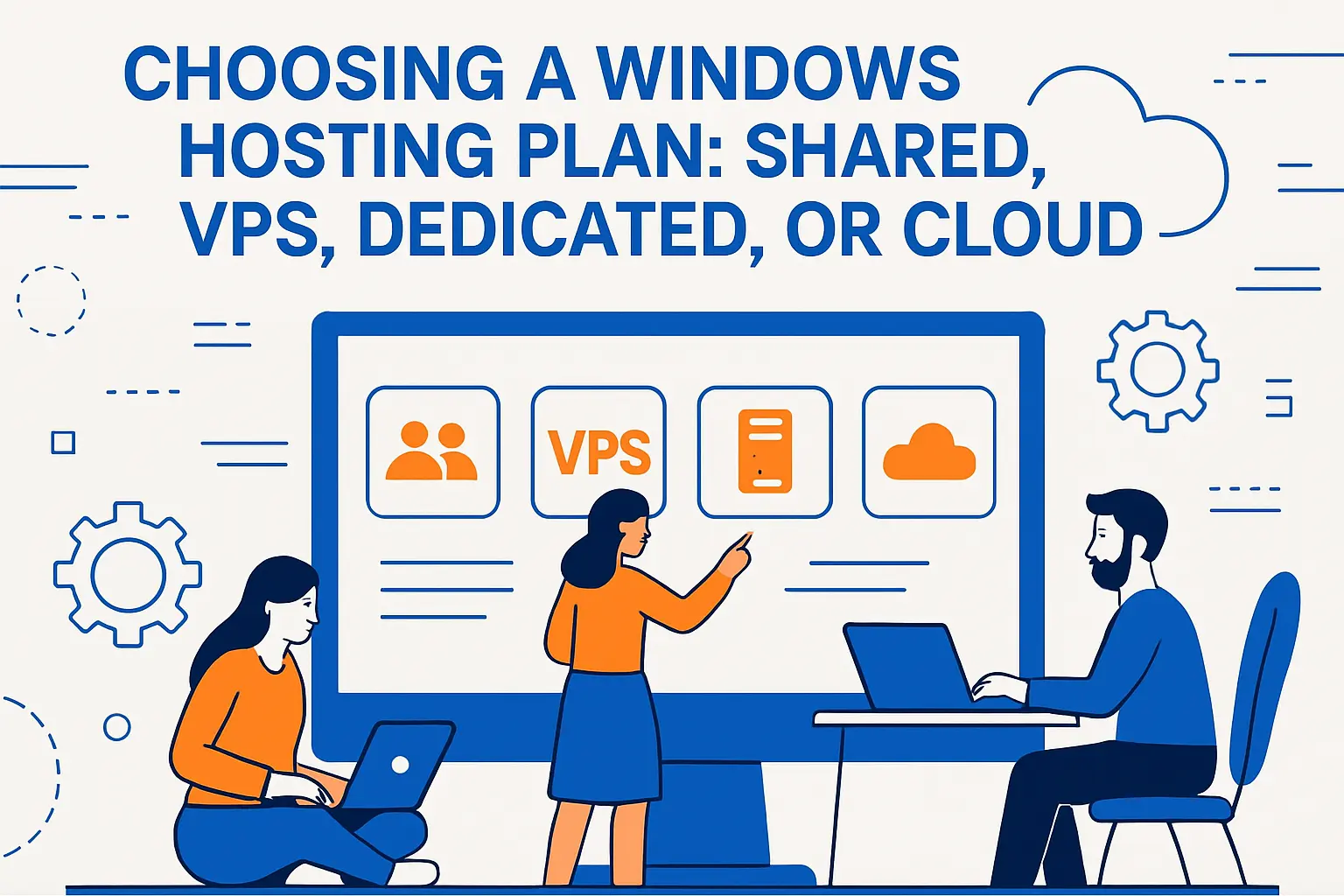
1. Shared Windows Hosting (Best for Simple Sites)
Shared hosting works when you run a small site, a simple ASP.NET app, or a lightweight SQL Server database. You share a server with other customers, so you get lower cost but also stricter limits.
Shared plan reality: Shared hosting is cheapest, but you may not control global IIS settings, server components, or deeper security rules. If your app needs custom server changes, start your comparison at VPS instead of forcing a shared plan to behave like a server.
Before you buy, confirm your plan supports the .NET version you need, offers enough database capacity, and allows the deployment method you prefer.
2. Windows VPS Hosting (Best for Control Without Full Hardware Cost)
A Windows VPS fits when you need more control. You can often adjust IIS settings, install server components, and run scheduled tasks. You also gain isolation from “noisy neighbors.”
Essentially, Windows VPS Hosting is best when:
- You need custom IIS settings or deeper diagnostics access.
- You run scheduled tasks, background workers, or automation scripts.
- You want better isolation from other tenants and more predictable performance.
- You need tighter control over security configuration and logging.
This option suits agencies that host multiple client apps, SaaS startups that need predictable performance, and teams that want to automate server setup with scripts.
3. Dedicated or Cloud Windows Hosting (Best for Scale and Compliance)
Dedicated servers and cloud instances fit when you need strong isolation, custom security controls, or consistent performance under load. They also help when compliance requires tighter segmentation.
If you run a revenue-critical app, you should also plan redundancy. That means backups, monitoring, and a clear rollback process for deployments.
Ask yourself the following questions for clarity:
- What is included in backups, and how fast can we restore?
- How do we monitor uptime, errors, and resource usage?
- How do patches get applied, and what is the rollback path?
- What security controls are included by default, and what costs extra?
- How does scaling work when traffic and database load increase?
Performance and Security Best Practices on Windows Hosting
1. Tune IIS for Stability (Not Just Speed)
IIS performance tuning starts with clarity. Identify what your app needs, then configure for that reality. For example, set appropriate application pool recycling rules, keep logging useful but not excessive, and validate compression settings.
Also, treat caching as a design choice. Cache pages, API responses, or database results only where it fits your data freshness needs.
2. Patch Management Matters More Than Micro-Optimizations
Security incidents often start with missed updates. So, set a patch cadence and stick to it. Test updates in a staging environment, then promote changes using a repeatable checklist.
Microsoft publishes lifecycle timelines, which helps you plan upgrades instead of reacting late. For example, Microsoft lists a Mainstream End Date of October 13, 2026 for Windows Server, so you can map upgrade work to that horizon.
3. Reduce Attack Surface with Practical Controls
- Use least-privilege identities for app pools and services.
- Lock down file permissions so uploads do not become executable paths.
- Enable HTTPS everywhere and automate certificate renewal where possible.
- Centralize logs so you can detect anomalies quickly.
- Add a WAF when your threat model or compliance posture demands it.
Most of these steps cost less than a single major outage. They also make incident response faster because you can see what changed and when.
Migration and Deployment: Practical Examples and Pitfalls
1. Example: Moving a Legacy ASP.NET App to Windows Hosting
Start with an inventory. List your .NET runtime, third-party DLLs, IIS settings, and database dependencies. Then, reproduce the environment on a staging server first.
Next, deploy the app and validate core flows. Test login, file uploads, scheduled jobs, and email sending. After that, run load tests that match real traffic patterns, not just synthetic spikes.
2. Example: Moving a Site from Windows Hosting to Linux Hosting
This migration can work well if your app does not truly depend on Windows-only features. Modern .NET can run on Linux, and many apps move successfully.
However, you must verify any Windows-specific dependencies. Watch for file path assumptions, image processing libraries that require Windows, and authentication flows that rely on Windows-integrated identity.
3. Cutover Checklist That Avoids Most Downtime
- Lower DNS TTL early so the switch propagates faster.
- Freeze content changes during the final sync window.
- Run a final database sync and validate row counts and key tables.
- Switch traffic and monitor logs closely for errors.
- Keep rollback ready until you confirm stability.
This approach keeps you in control. It also forces you to verify assumptions before customers find the problems for you.
Windows Hosting FAQ (Quick, Clear Answers)
1. Do I Need Windows Hosting to Run WordPress?
No, you usually do not. WordPress runs best in a typical Linux hosting environment for most users. Choose Windows only when you have a clear Microsoft-specific requirement.
Use Windows hosting for WordPress only when you have a clear requirement that your team cannot meet on Linux, such as a strict internal hosting standard or a legacy integration constraint.
2. Is Windows Hosting Only for Big Companies?
No. Small businesses use it too, especially when they run a Windows-based app or depend on SQL Server. The “right” choice depends on your app, not your company size.
Agencies, SaaS teams, and small businesses use Windows hosting whenever their app stack or database requirements make it the cleanest fit.
3. What Should I Check Before Buying a Windows Hosting Plan?
Confirm runtime support, database options, deployment methods, backup policies, and support scope. Also, confirm whether you need shared hosting simplicity or VPS-level control.
Use this buyer checklist:
- Compatibility: IIS needs, .NET version, and any Windows-specific dependencies.
- Database: SQL Server availability, limits, backup frequency, and restore access.
- Deployment: supported methods (CI/CD, Git, FTP, Web Deploy) and staging options.
- Access: panel-only vs VPS control, plus how RDP and PowerShell are handled.
- Security: patch responsibilities, logging access, and whether a WAF is available.
- Support: what the host will troubleshoot versus what they consider “application-level.”







Conclusion
Windows hosting works best when your application and your operations depend on Microsoft technologies. It can simplify IIS-based deployments, support SQL Server-driven apps, and align with Windows-first admin workflows. On the other hand, Linux hosting often fits general-purpose sites and common CMS stacks with less friction. Pick the platform that matches your app’s real needs, and you will save time, reduce risk, and scale with fewer surprises.