

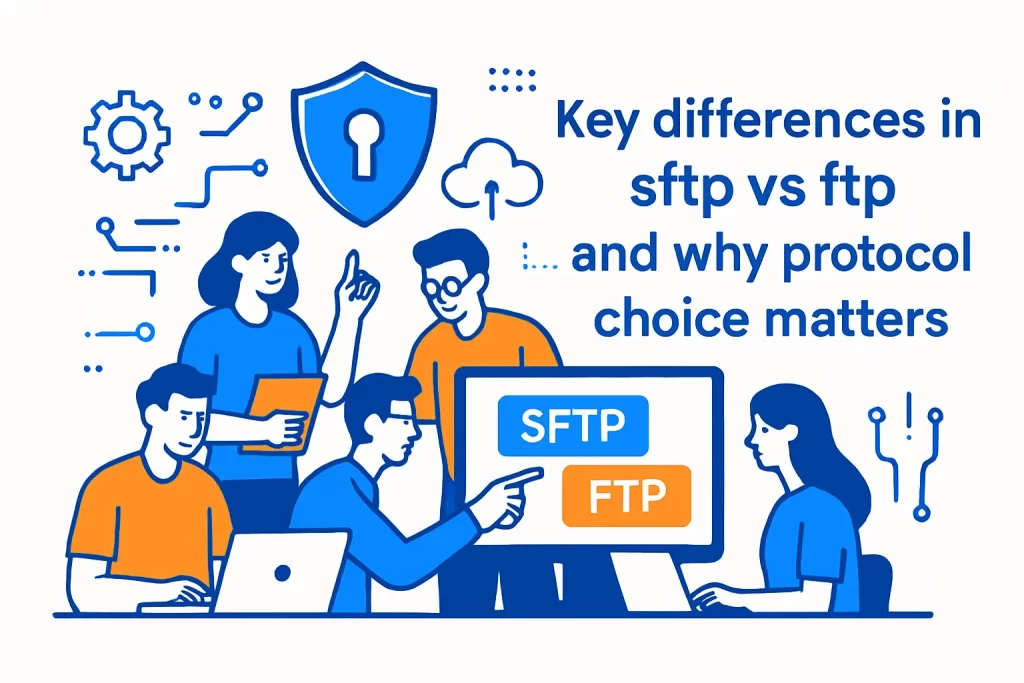
- Key differences in sftp vs ftp and why protocol choice matters
- FTP fundamentals: client server model and dual channel design
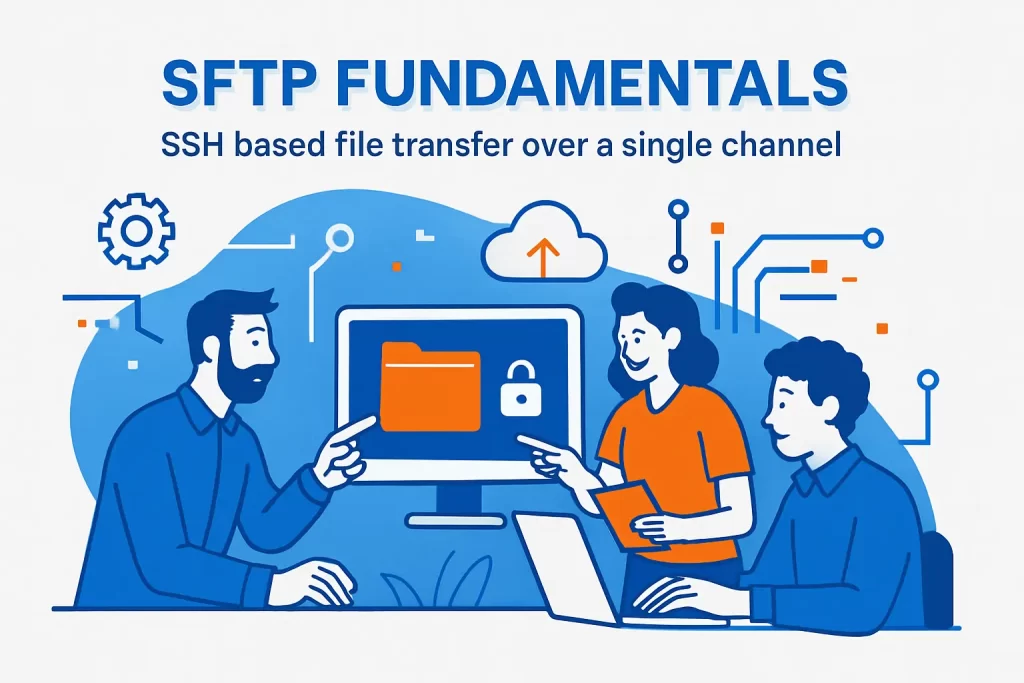
- SFTP fundamentals: SSH based file transfer over a single channel
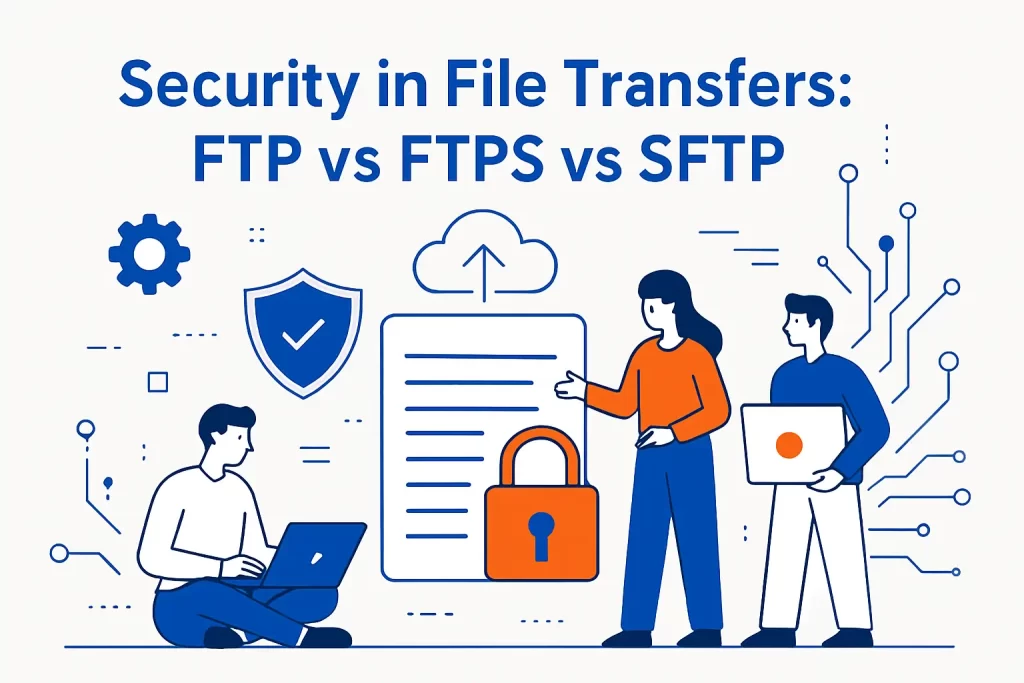
- Security in file transfers: FTP vs FTPS vs SFTP
- Ports channels and firewall setup considerations
- Compliance and vulnerability concerns for business data transfers
- Speed and performance considerations beyond the protocol debate
- How 1Byte supports secure hosting and file transfer setups as an AWS Partner
- Conclusion: choosing between FTP FTPS and SFTP for your environment
File transfer sounds like plumbing—until it becomes the thing that breaks payroll, stalls an analytics refresh, or quietly leaks credentials to the wrong place. At 1Byte, we live in that unglamorous layer between “the data exists” and “the data is usable,” and we’ve learned (sometimes the hard way) that protocols are never just technical trivia; they’re policy, risk appetite, and operational reality expressed as packets.
Across cloud migrations and everyday hosting support, we keep seeing the same pattern: teams inherit an FTP workflow because “that’s what the vendor supports,” then later discover that the workflow is carrying more than files. Hidden inside are authentication decisions, firewall assumptions, audit gaps, and the kind of brittle automation that only fails on Friday evenings. Once those moving parts are visible, the SFTP vs FTP conversation stops being ideological and becomes architectural: what are we protecting, who are we trusting, and what failure modes can we tolerate?
Key differences in sftp vs ftp and why protocol choice matters
Market context matters, too. When Gartner forecasts public cloud end-user spending reaching $723.4 billion in 2025, it signals how many “simple transfers” now sit inside multi-tenant, internet-routed, compliance-audited environments rather than private networks with friendly assumptions.
Risk context is equally blunt. IBM’s most recent report pegs the global average cost of a data breach at USD 4.4M, and while file transfer protocols rarely get named in breach headlines, they often show up in the causal chain: credential reuse, weak controls, missing encryption, or a process nobody “owned” because it had always “just worked.”
In the sections that follow, we’ll compare SFTP and FTP in practical terms, explain how each protocol behaves on real networks, and outline where FTPS fits when legacy constraints refuse to budge. Along the way, we’ll share the operational lens we use at 1Byte: not “which protocol is best,” but “which protocol is hardest to misuse.”
1. Why secure and reliable file transfer protocols are foundational for modern workflows
Reliable file transfer is the quiet backbone of business operations: supplier feeds, financial reconciliations, marketing exports, warehouse inventory deltas, and the nightly “drop folder” that someone upstream treats as a database. From our seat at 1Byte, the most painful incidents aren’t always outages—they’re silent degradations: a partial upload accepted as “complete,” a credential copied into a script, or a firewall change that breaks just one partner connection.
Security compounds that fragility. CISA explicitly warns that the FTP and Telnet protocols transmit credentials in cleartext, and that one sentence is enough to reframe the protocol choice as a governance decision rather than a convenience.
Operationally, we treat protocols as “default behavior under stress.” When networks jitter, when credentials rotate, when vendors change IPs, the best protocol is the one that fails loudly, supports identity checks, and can be automated without teaching teams to bypass safety rails.
2. Five practical differences between sftp vs ftp at a glance
- Security model: FTP was built for functionality; SFTP is designed to run inside an encrypted, integrity-checked session, aligning the transfer with modern expectations about protecting data in transit.
- Authentication posture: SFTP commonly supports key-based access and can be scoped tightly, while FTP workflows often drift toward shared passwords because “it’s quicker.”
- Network behavior: FTP’s architecture makes it more sensitive to NAT and firewall configuration, whereas SFTP tends to be simpler to route through controlled network boundaries.
- Feature surface: SFTP behaves more like remote file management (permissions, atomic renames, directory operations), while FTP feels closer to a classic file transfer session with its own conventions.
- Operational ergonomics: SFTP’s security defaults push teams toward safer automation; FTP frequently requires compensating controls (VPNs, segmentation, strict monitoring) to reach the same baseline.
For readers who like standards-level grounding, the FTP baseline is captured in the File Transfer Protocol specification, while SFTP’s protocol shape is described in the SSH File Transfer Protocol draft (which many implementations still track conceptually, even as vendors evolve details).
3. How sftp vs ftp impacts automated file workflows such as ETL and routine data exchange
Automation turns protocol differences into business outcomes. In ETL-style exchanges, teams care about predictability: idempotent uploads, clear error signals, and the ability to move a file into place atomically once it’s complete. SFTP’s “remote filesystem” feel often makes those patterns easier to implement without awkward workarounds.
FTP automation, by contrast, tends to accumulate folk wisdom: “always use passive mode,” “watch for random timeouts,” “retry the whole job,” or “rename after upload to avoid partial reads.” None of those are inherently wrong, but they are operational debt—rules that live in scripts instead of in a protocol’s guardrails.
From a governance perspective, the largest difference is auditability. A well-implemented SFTP workflow naturally aligns with strong access control, separation of duties, and machine identities, while FTP workflows often rely on process discipline to prevent credential sprawl and accidental exposures.
FTP fundamentals: client server model and dual channel design

1. What FTP is and what it was built to do
FTP is one of the internet’s older workhorses: a straightforward way for a client to authenticate to a server and move files around. Historically, it fit a world where “the network” was more trusted, where encryption was expensive, and where the urgent requirement was interoperability across heterogeneous systems.
That heritage still shows up in many environments we support—especially in legacy integrations with ERPs, print vendors, logistics providers, and “appliance-like” systems that expose FTP because it is simple and widely implemented. In those cases, FTP isn’t chosen because it’s ideal; it’s chosen because it’s available.
At 1Byte, we treat FTP as a compatibility protocol. It can be a practical bridge, but it should rarely be the final design when data is sensitive or when credentials are valuable beyond the single workflow.
2. Command channel and data channel design and why FTP uses two connections
FTP’s defining architectural choice is its separation of command/control from data transfer. That design makes the protocol expressive—commands can be issued and sessions can be managed independently from the bulk data stream—but it also introduces complexity that modern networks dislike.
NAT, stateful firewalls, and layered security appliances can struggle when “a session” isn’t a single predictable flow. Operationally, we see this as a root cause of flakiness: transfers that work from a developer laptop but fail from a locked-down corporate network, or jobs that succeed until a firewall policy tightens.
For a crisp conceptual explanation that mirrors what admins see in real tools, we often point teams to a practical breakdown of FTP’s control and data channels and how active/passive behavior changes which side initiates the data connection.
3. FTP clients servers and common defaults like port 21 for the control channel
FTP has well-known defaults that many systems assume implicitly. In IANA’s registry, the control service is recorded as port 21 for the control channel, which is why so many legacy firewall rules and vendor setup guides still speak in that shorthand.
In day-to-day operations, those defaults create two competing realities. On one hand, standard ports reduce setup friction because tools “just know” what to try. On the other hand, predictability also makes scanning and opportunistic attacks easier, especially when FTP is exposed to the public internet without compensating controls.
Our hosting viewpoint is simple: defaults are fine inside protected networks, but “internet-facing by default” is rarely a safe posture for FTP, regardless of how familiar the port conventions feel.
4. FTP transfer capabilities including data representations and transmission modes
FTP is richer than many people remember. Beyond “upload/download,” it includes conventions for directory listing, file metadata, and different ways of representing data (a historical nod to systems that treated text encodings and record formats differently).
Those capabilities can still matter in automation. A workflow that relies on directory listings, remote deletes, or resuming transfers is implicitly relying on a server’s FTP implementation details and on how intermediaries handle the traffic. In practice, we see interoperability gaps most often when clients and servers disagree on expectations, particularly in listing formats and edge-case path handling.
When reliability is more important than nostalgia, we usually recommend simplifying the contract: treat transfers as “write new files, then rename into place,” keep server-side permissions strict, and avoid fancy client behaviors unless the workflow truly needs them.
SFTP fundamentals: SSH based file transfer over a single channel
1. What SFTP is and why it is a separate protocol from FTP
SFTP is frequently misunderstood as “FTP but secure.” In reality, it is its own protocol that happens to provide file transfer and management semantics, typically carried inside an SSH session. That distinction matters because it explains why settings, ports, authentication, and server software differ so sharply from classic FTP stacks.
cPanel’s documentation states plainly that SFTP is an entirely separate protocol, and that one line prevents a lot of configuration mistakes we see in shared hosting environments.
From 1Byte’s perspective, SFTP’s biggest advantage is not “encryption” as a checkbox; it’s the way the protocol pushes teams toward better identity hygiene and more predictable network behavior.
2. SFTP over SSH with a single connection for commands and data
SFTP generally rides inside SSH as a channel-based service, which is why it tends to look like “one session” from the network’s point of view. That model reduces the moving parts that firewalls have to understand, and it also makes it easier to reason about timeouts, retries, and connection reuse.
The protocol itself is described as a request/response model in the SSH File Transfer Protocol draft, and even if an organization never reads the packet formats, the design philosophy shows up in better operational ergonomics.
In production automation, that simplicity pays dividends: fewer edge cases, fewer “it works only from this subnet” mysteries, and fewer brittle rules in infrastructure-as-code templates.
3. Default SFTP port 22 and what that implies for connectivity
Because SFTP commonly runs as part of SSH service, the default listening behavior follows SSH conventions. The SSH transport RFC notes that the server normally listens for connections on port 22, which explains why SFTP often “just works” wherever SSH is already permitted.
Connectivity implications cut both ways. Allowing SSH-related traffic through a firewall can be easier than accommodating FTP’s multi-connection behavior, yet many organizations intentionally restrict SSH exposure because it is also a remote administration pathway.
At 1Byte, we treat that as an opportunity: if SFTP access is needed, we can design it as controlled, logged, least-privilege access rather than as a broad “open port for uploads” exception.
4. SFTP authentication options including username and password and SSH key based access
SFTP authentication usually mirrors SSH authentication options: passwords, public key authentication, and (in more advanced environments) integration with centralized identity systems or certificate-based approaches. In operational terms, key-based access is the feature that most often transforms security from “policy” into “default behavior.”
cPanel’s guidance that you cannot use FTP accounts to authenticate over SFTP is a practical reminder that SFTP expects system-level identities (or an identity provider), not the “virtual users” that many FTP servers support.
When we design SFTP workflows, we usually prefer keys tied to specific automation roles, scoped to specific directories, and rotated as part of change management rather than treated as immortal secrets.
Security in file transfers: FTP vs FTPS vs SFTP
1. Why plain FTP is insecure: cleartext credentials and interception risk
Plain FTP’s core problem isn’t subtle: it was not designed for hostile networks. Credentials and session commands can be observed and replayed by anyone who can see the traffic, which makes FTP a poor fit for modern internet routing, shared Wi-Fi, or partner networks you don’t fully control.
CISA’s recommendation to discontinue FTP services by moving to more secure alternatives is aligned with what we see operationally: FTP becomes a persistent exception that attackers and auditors both notice.
Even when the transferred files aren’t sensitive, the credentials often are. Once an FTP password leaks, lateral movement becomes a realistic concern because humans reuse passwords and scripts get copied into unexpected places.
2. How FTPS adds protection using SSL TLS for encryption and certificate based authentication
FTPS is “FTP plus TLS,” and that “plus” matters. Rather than inventing a new file transfer protocol, FTPS keeps FTP semantics and wraps the control channel (and optionally the data channel) in TLS, adding confidentiality and integrity protections.
The standards-track description is in Securing FTP with TLS, which defines how clients and servers negotiate protection and how data channel behavior should be handled under TLS.
In real deployments, FTPS can be a pragmatic compromise when partners require FTP-like behavior but you must encrypt data in transit. Operationally, we still treat FTPS as “more complex than it looks,” because certificates, TLS inspection devices, and data-channel behavior can reintroduce network edge cases.
3. How SFTP security works through SSH encryption integrity controls and key pairs
SFTP inherits much of its security posture from SSH: encrypted transport, integrity checks, and a strong emphasis on cryptographic identity. Instead of “add TLS to an existing protocol,” SFTP lives inside a security-oriented protocol family designed for remote administration in addition to file transfer.
SSH’s architecture explicitly frames server identity and trust relationships, including the role of host keys and client authentication, in the SSH Protocol Architecture.
For businesses, the key practical win is that strong identity becomes a natural part of setup rather than a bolt-on. In our experience, that reduces the temptation to cut corners, because secure-by-default workflows are easier to maintain than “secure if everyone remembers the rules” workflows.
4. SFTP trust and identity checks through host key verification before transfers
Host key verification is one of SFTP’s most underrated features. It is the protocol’s built-in way of helping clients avoid talking to the wrong server—even when an attacker can intercept traffic or poison DNS.
WinSCP’s explanation of why the SSH host key prompt exists and how it prevents spoofing is the same logic we rely on operationally: the first connection establishes a known identity, and subsequent connections detect suspicious changes.
In automation, this becomes a design choice. Teams can either formalize host key distribution (best), or they can disable checks (fast but risky). Our stance at 1Byte is firm: if you are automating file transfers, you should also automate trust safely rather than turning trust off.
Ports channels and firewall setup considerations
1. FTP and FTPS firewall complexity from multiple channels and varying data ports
FTP and FTPS can be deceptively tricky in segmented networks. Because control and data flows are negotiated dynamically, security devices may need special handling (inspection helpers, explicit port ranges, or carefully defined passive-mode constraints) to avoid intermittent failures.
That complexity shows up in tickets as “random timeouts,” “directory listing fails but uploads work,” or “only one partner site can connect.” Once we map the path—client NAT, corporate firewall, edge WAF, hosting firewall—the culprit is often a middlebox that does not understand the negotiated data connection behavior.
In practice, teams either invest in careful FTPS/FTP design or they migrate to a protocol that is simpler to route predictably. When reliability is the KPI, simplicity tends to win.
2. SFTP firewall simplicity by using a single port for both sending and receiving data
SFTP’s biggest networking advantage is that it behaves like a single service flow from the firewall’s perspective. That reduces the number of “special cases” required in security policy, and it also reduces the blast radius of a misconfiguration.
Operationally, we find that this simplicity has a second-order effect: it encourages teams to treat file transfer as a first-class, monitorable service rather than as a fragile exception with undocumented port behavior. Once the path is stable, the engineering conversation can move to access control, logging, and workflow correctness.
In other words, fewer firewall gymnastics frees up time to design the transfer process itself—checksum validation, atomic renames, quarantine folders, and alerting on anomalies.
3. Shared hosting and cPanel realities: SSH access requirements for SFTP availability
Shared hosting introduces a pragmatic constraint: SFTP often depends on SSH being enabled for the hosting account. That’s not a philosophical limitation; it’s a product reality that hosting providers manage because SSH is powerful and must be governed carefully.
cPanel makes this explicit: to use SFTP, you will need SSH/Shell Access on your cPanel account, and you generally authenticate with the main account’s credentials rather than with auxiliary FTP-only users.
From 1Byte’s support perspective, this is where many “why doesn’t SFTP work?” issues actually originate. The fix is rarely in the SFTP client; it’s in account-level access controls, feature flags, and a clear policy about who should have shell-capable identities.
4. Common setup pitfalls: timeouts on port 22 and confusion between FTP with TLS and SFTP
Two pitfalls repeat across migrations. First, connectivity failures are often blamed on “SFTP being down” when the real issue is a network policy mismatch—especially when organizations treat SSH-related traffic as “admin-only” and block it by default. In IANA’s registry, SSH is recorded as port 22, which is exactly what many security baselines restrict unless a business justification exists.
Second, teams regularly confuse “FTP with TLS” (FTPS) and “SFTP.” The acronyms look similar, yet the server software, authentication methods, and debugging playbooks differ significantly.
When we onboard partners, we’ve learned to spell it out in contracts and runbooks: SFTP is SSH-based; FTPS is FTP plus TLS; and a checkbox labeled “secure FTP” in a GUI might mean either, depending on the tool.
Compliance and vulnerability concerns for business data transfers
1. Why encryption is essential when transferring valuable or sensitive business data
Encryption is not just about secrecy; it is also about minimizing the number of “trusted networks” you have to pretend exist. As soon as a workflow traverses the public internet, a partner network, or a cloud backbone, assuming confidentiality without encryption becomes an avoidable gamble.
NIST’s guidance on selecting, configuring, and using TLS implementations reflects the broader principle we rely on: if you transmit sensitive data, you should do so using modern, well-configured cryptography rather than relying on perimeter mythology.
At 1Byte, we also watch for a subtle trap: teams encrypt the file contents (PGP, zip passwords) but still send credentials in the clear via FTP. That pattern protects data yet still leaks identities—and identities are often the more reusable asset for attackers.
2. Compliance pressure points that can influence protocol choice for secure transfers
Compliance rarely tells you “use SFTP,” but it does tell you to protect data in transit, control access, and prove you did so. PCI guidance, for example, is explicit that strong cryptography and security protocols must be used when cardholder data is sent over open, public networks, which makes plain FTP a non-starter for payment-adjacent file exchanges.
Healthcare adds nuance: HHS clarifies that encryption is addressable under the HIPAA Security Rule, meaning a covered entity must implement it if reasonable and appropriate or document an alternative. In practice, auditors and risk officers increasingly treat encryption in transit as the expected norm, especially when third parties are involved.
Protocol choice becomes the simplest way to operationalize those expectations. Instead of “remember to encrypt,” teams can adopt a protocol that enforces it by default.
3. Reducing risk from vulnerabilities such as interception and avoidable human error
Most protocol risk is amplified by human behavior. Shared passwords get reused, scripts get copied, and “temporary” exceptions become permanent. When an integration relies on an FTP password that also unlocks shell access somewhere else, the blast radius becomes unpredictable.
We’ve also seen how outdated protocol choices encourage unsafe workarounds: emailing credentials, disabling verification prompts, or storing secrets in plain text config files. Reducing that temptation is part of good architecture.
NIST’s broader framing in Security Considerations for Exchanging Files Over the Internet aligns with our experience: secure exchange is a system, not a single control. The protocol is simply one of the most leverage-rich controls because it shapes every transfer, every time.
4. Cloud based secure file sharing options including public cloud and private cloud approaches
Not every “file transfer” needs to be SFTP or FTP. Increasingly, we design alternatives that are easier to audit and harder to misuse: object storage with scoped access, time-limited links, API-driven uploads, or managed transfer endpoints that integrate directly with cloud storage.
A concrete example is a managed service that supports SFTP, FTPS, and FTP into cloud storage, which can keep partner-facing workflows familiar while moving the backend into a more monitorable, policy-driven environment.
In private cloud scenarios, the same idea holds: keep the transfer edge tightly controlled, centralize logging, and avoid scattering credentials across endpoints. When we design these systems at 1Byte, we aim to make “the secure way” also the easiest way—because that’s what scales across teams and turnover.
Speed and performance considerations beyond the protocol debate

1. Why SFTP may be slower than FTP due to encryption and protocol behavior differences
Performance debates often start with “encryption adds overhead,” and that is true in a narrow sense. SFTP may spend CPU on cryptography and may behave differently with respect to request/response patterns, which can matter over high-latency links or on underpowered servers.
Still, in the environments we manage, raw throughput is rarely the only metric. Predictability, resumability, and correctness often outrank peak speed—especially when transfers feed downstream systems that break on partial files or corrupted payloads.
In our experience, “SFTP feels slower” is frequently a symptom of network latency, single-threaded clients, or server-side resource limits rather than an inherent protocol ceiling. Fixing those constraints usually yields more benefit than downgrading security for speed.
2. Implementation factors that affect SFTP and SCP performance such as windowing latency and CPU limits
Implementation choices matter as much as protocol choice. SSH cipher selection, server CPU headroom, disk I/O contention, and client behavior can all dominate the performance profile. On busy shared hosts, for example, CPU scheduling can become the real bottleneck long before the network is saturated.
Tooling also matters. AWS Transfer Family documentation notes that the SCP protocol is not supported, as it is considered insecure, which is a good reminder that “SSH-based file transfer” is a family of behaviors with different security and operational properties depending on which tool you choose.
When performance is critical, we prefer tuning within a secure protocol first—right-sizing compute, optimizing storage paths, and designing transfers to be robust under congestion—rather than treating protocol downgrade as the default fix.
3. Throughput tactics: parallel transfers compression and bundling many small files
Throughput is often lost to inefficiency rather than protocol overhead. Many small files introduce latency and metadata chatter, so bundling them (for example, as an archive) can reduce round trips and improve overall transfer time while also simplifying “all-or-nothing” handoff semantics.
Compression can help when bandwidth is constrained and CPU is plentiful, but it can hurt when data is already compressed or when CPU is the limiting factor. Parallelization can also help, yet it must be balanced against server limits and against the risk of overwhelming downstream systems that consume the files.
From 1Byte’s perspective, the best tactic is the one that improves the full workflow, not just the transfer. A transfer that finishes fast but produces an inconsistent directory state is a net loss for business operations.
4. How to evaluate performance realistically by testing on the same network path you will use in production
Benchmarking from a developer laptop is rarely representative. Realistic testing means using the same network path, the same firewall posture, the same DNS behavior, and the same storage backend you’ll rely on in production.
A disciplined approach is echoed in the Well-Architected guidance to measure the impact of networking features through testing, metrics, and analysis rather than relying on intuition. We extend that idea to file transfer: measure end-to-end time from “file ready” to “file validated and consumed,” because that is the metric the business actually feels.
When a workflow is performance-sensitive, we also recommend treating transfers as observable systems: log timings, track retries, and alert on drift. That turns “SFTP is slow” into a diagnosable claim instead of a recurring complaint.
How 1Byte supports secure hosting and file transfer setups as an AWS Partner
1. Domain registration and SSL certificates to establish trusted encrypted access
Even when the topic is file transfer, web trust shows up quickly: portals, documentation sites, webhook receivers, and status pages that become part of the integration experience. At 1Byte, we treat domain control and certificate hygiene as the foundation for those surfaces, because the easiest way to undermine a secure transfer workflow is to mislead users about where to connect or which endpoint is legitimate.
Operationally, that means tight DNS change management, certificate renewal automation, and a preference for strong defaults. When customers use FTPS or HTTPS-based transfer approaches, certificates become identity—so we design certificate handling as a security control, not as a one-time setup task.
In practice, we also encourage teams to document endpoint identity out-of-band (for example, in onboarding emails and runbooks) so that “trust” does not depend solely on a browser warning prompt.
2. WordPress hosting and shared hosting for secure everyday website operations
Shared hosting is where protocol choices become most human. Teams want simple tools, designers want drag-and-drop uploads, and agencies want access without full shell privileges. Those are valid needs, and our job is to reconcile them with secure operations.
In those environments, we often guide customers toward the least risky option that still meets the workflow. Sometimes that means SFTP with tightly controlled shell access; other times it means FTPS for delegated “upload-only” accounts; and sometimes it means abandoning file transfer entirely in favor of deployment workflows that don’t require interactive uploads.
From our viewpoint, secure shared hosting is about reducing sharp edges. The more a workflow relies on discipline rather than guardrails, the more likely it will fail under deadline pressure.
3. Cloud hosting and cloud servers for scalable infrastructure that can support SFTP based workflows
On cloud servers, we can design SFTP workflows that look like modern infrastructure rather than “a server with a folder.” That includes isolated landing zones, automated malware scanning, event-driven processing, and fine-grained IAM-style permissions where the transfer identity maps cleanly to downstream access.
As an AWS Partner, we also help teams choose whether they want to run and manage their own SSH/SFTP endpoints or rely on managed services that integrate directly with cloud storage. The core tradeoff is operational ownership: do you want full control over the stack, or do you want fewer components to patch and monitor?
At 1Byte, we tend to favor designs that minimize bespoke glue while maximizing visibility. If a transfer is business-critical, it should be observable, least-privilege, and designed to fail safely.
Conclusion: choosing between FTP FTPS and SFTP for your environment
1. When to choose SFTP for security first transfers and administrative access needs
SFTP is usually the default choice when confidentiality and identity assurance matter. It is well-suited for partner integrations, regulated data movement, and internal workflows where key-based access and host identity checks reduce the chance of accidental exposure.
From 1Byte’s operational lens, SFTP also wins when you need to reduce firewall complexity and when you want a single, well-understood pathway that can be monitored and governed like any other critical service.
If your workflow includes remote administration alongside file transfer, SFTP aligns naturally with that reality—provided you enforce least privilege, log access, and treat automation identities as first-class citizens.
2. When FTPS or FTP may be used for legacy compatibility or anonymous public access scenarios
FTPS earns its place when a partner or legacy system demands FTP semantics but you still need encryption in transit. In those cases, FTPS can be a pragmatic bridge, especially if certificate management and firewall rules are handled deliberately rather than left to “whatever the defaults do.”
Plain FTP can still exist in narrow scenarios: truly public, anonymous distribution of non-sensitive data; lab environments; or isolated networks with strict compensating controls and no credential reuse risk. Even then, we treat it as technical debt with an expiration date.
A useful real-world signal is NASA’s decision to phase out unencrypted FTP services in favor of encrypted alternatives, which mirrors the broader industry direction: compatibility matters, but unencrypted defaults are increasingly unacceptable.







3. Decision checklist for sftp vs ftp: security requirements firewall constraints hosting access and performance needs
- Start with data sensitivity: If the files, filenames, or credentials have value, prefer encrypted protocols and enforce identity verification.
- Map your trust boundaries: If traffic crosses networks you don’t fully control, assume interception is possible and design accordingly.
- Confirm hosting realities: If your plan or platform restricts SSH, decide whether FTPS is an acceptable compromise or whether you should move to infrastructure where SFTP is supported cleanly.
- Design for operations: Choose the protocol that is easiest to monitor, simplest to document, and hardest for teams to “temporarily bypass.”
- Test end-to-end: Validate performance, reliability, and failure handling on the actual path the workflow will use in production.
If you’re deciding right now, our next-step suggestion at 1Byte is to inventory every automated transfer you run and ask a blunt question: which one would cause the most damage if its credentials leaked—then why is that workflow not already using the safest protocol you can operationally support?