

- WordPress vs Custom CMS: The Real Difference
- When WordPress Is the Better Fit
- When A Custom CMS Is the Better Fit
- Total Cost Factors: What You Pay For Over Time
- Risk, Security, And Compliance Considerations
- Scaling, Integrations, And Long-Term Flexibility
- A Practical Decision Framework (With Examples)
- FAQ: WordPress vs Custom CMS
- Conclusion
Choosing between wordpress vs custom cms is a business decision first. The right choice depends on how fast you need to ship, how unique your workflows are, and how much long-term ownership your team can carry.
WordPress helps teams move quickly by reusing proven building blocks. A custom CMS can remove friction when your content model, approvals, and integrations are specific to your organization.
This guide breaks down when each option wins, what costs show up after launch, and how to choose with confidence using a practical checklist.
Quick answer: The best wordpress vs custom cms choice depends on whether you are optimizing for speed and ecosystem leverage or for unique workflows and governance.
Choose WordPress when:
- You need to launch fast with proven patterns.
- Your requirements map to common plugins and themes.
- Your content team wants familiar editing and publishing.
- You want flexibility to change design and content without rebuilding everything.
Choose a custom CMS when:
- Your workflow is unique and persistent, not a temporary edge case.
- You need structured content models across many channels.
- You must enforce strict permissions, approvals, and auditability.
- You rely on deep integrations with internal systems and identity.
Consider a hybrid when: marketing needs fast iteration, while product experiences need structured content and custom delivery.
WordPress vs Custom CMS: The Real Difference
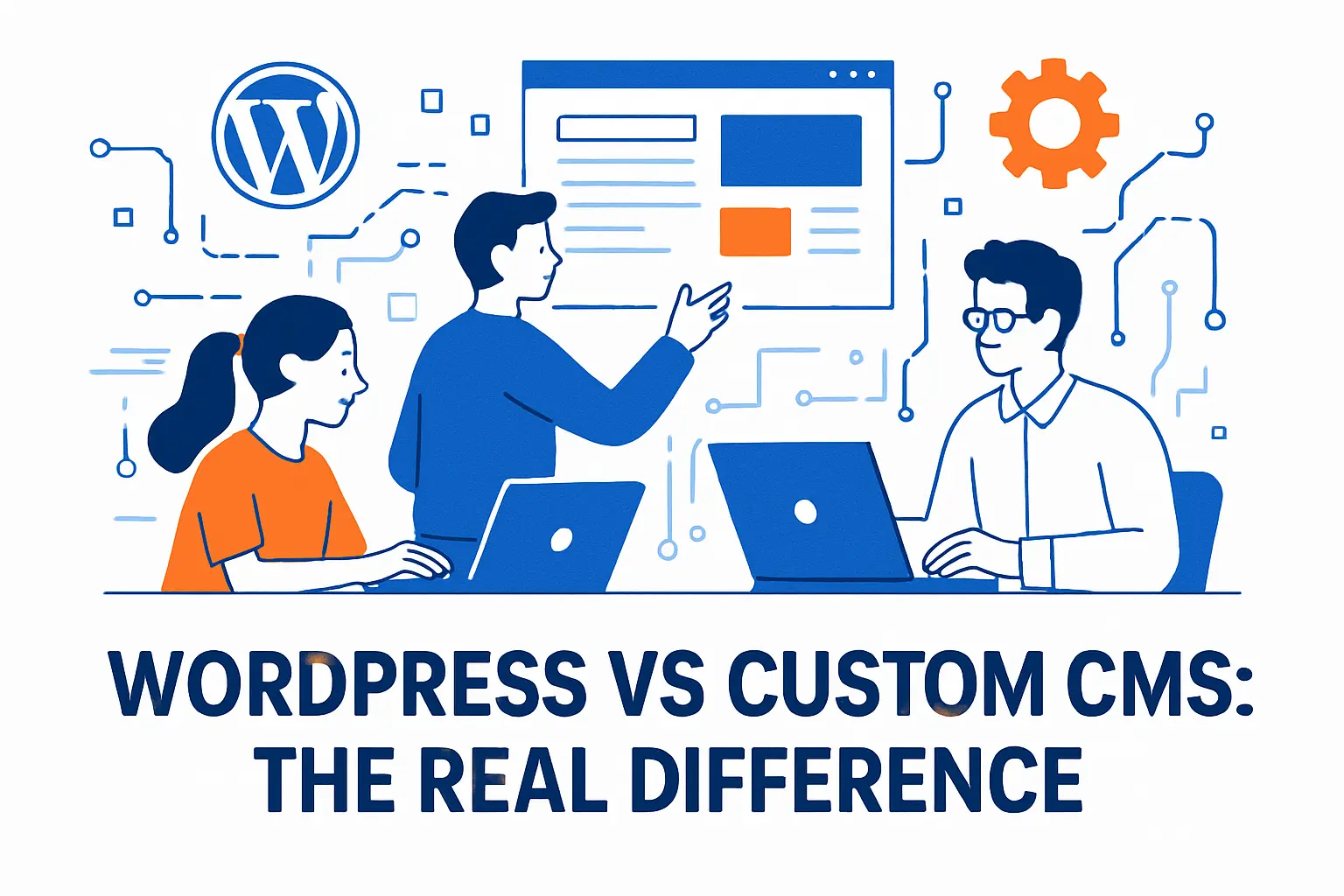
| Decision Factor | WordPress Tends to Win When | Custom CMS Tends to Win When | What to Validate |
|---|---|---|---|
| Time to launch | You can reuse proven themes and plugins. | You need a tailored build that matches a unique workflow. | Delivery timeline, scope stability, and stakeholder approvals. |
| Content modeling | Your content types are simple and familiar. | Your content is highly structured and reused across channels. | Content types, relationships, localization, and previews. |
| Workflow and permissions | Basic roles and approvals are enough. | You need complex approvals, audit logs, or strict governance. | Role matrix, approval steps, and compliance requirements. |
| Integrations | Common integrations cover most needs. | Internal systems define the experience. | SSO, data sources, event flows, and failure handling. |
| SEO operations | Marketing needs frequent publishing and fast iteration. | SEO depends on structured data and custom delivery rules. | URL control, templates, schema, and editorial velocity. |
| Long-term ownership | You want a large talent pool and standard tooling. | You can staff and maintain a product-like platform. | Team capacity, on-call model, and documentation discipline. |
1. WordPress Gives You A Proven Core And A Giant Ecosystem
WordPress gives you a stable core plus a massive ecosystem. That combination is why it is widely adopted and why teams can assemble features instead of engineering everything from scratch.
The trade-off is governance. The more you rely on third-party components, the more you need clear rules for selection, updates, and monitoring.
- Security baseline: enforce least privilege, secure admin access, and monitor for abnormal behavior.
- Plugin policy: define who can install plugins, which vendors are allowed, and how conflicts get resolved.
- Update process: schedule updates, test in staging, and document rollback steps.
- Performance guardrails: keep the plugin set lean, measure page performance, and remove overlapping tools.
2. A Custom CMS Matches Your Product, Data Model, And Workflow
“Custom CMS” can describe more than one build path. Clarifying the approach early helps you estimate effort, risk, and long-term ownership.
- Custom build on a web framework: you design the admin experience, content model, and permissions around your workflow. This fits product-like requirements but demands strong engineering and ongoing maintenance.
- Headless CMS plus custom front end: you use a CMS for structured content and build delivery via APIs. This works well for multi-channel content and modern front ends, but you still own integration, previews, and governance.
- Extensible “platform CMS” approach: you start with an established system and heavily tailor it to your org. This can reduce time-to-value, but you must manage upgrades and customizations carefully.
The best approach is the one your team can operate safely after launch, not just the one that looks fastest in a prototype.
3. “Custom CMS” Can Mean Several Approaches
Teams often use “custom CMS” to describe very different builds. Sometimes it means a fully bespoke system. Other times it means you build on a framework and add a custom admin.
It can also mean a headless approach, where the CMS manages content and your front end consumes it via an API. That architecture can work with either WordPress or a non-WordPress CMS.
When WordPress Is the Better Fit

1. You Need Speed And Predictable Delivery
WordPress wins when you need to publish fast and iterate in public. Marketing teams often choose it because they can launch a credible site, then improve it weekly without waiting on a full engineering cycle.
This matters when timing drives revenue. A product launch, a conference, or a seasonal campaign benefits from fast publishing more than perfect internal tooling.
2. Your Feature List Mostly Matches Existing Plugins
WordPress becomes a strong value when your requirements match common features. The official directory alone lets you “browse over 60,000 free plugins,” so you can usually find solutions for common needs.
That said, you still need discipline. You should treat plugins like vendors. Review maintenance history, support signals, and compatibility before you commit.
3. Your Content Team Wants Direct Control
WordPress reduces friction for editors. It supports page building, media management, scheduling, revisions, and roles in a familiar interface.
As a result, teams with frequent publishing tend to move faster on WordPress. They spend less time filing tickets and more time producing content that ranks.
4. You Want Many Design Options Without Reinventing UI
Design and front-end delivery can get expensive when you build everything from zero. WordPress reduces that cost because the theme ecosystem is large. The official directory alone offers Over 14,000 free themes, which gives you a wide starting point.
Even if you plan to customize heavily, starting from a well-supported base theme can still save time. It also helps you avoid accessibility and responsiveness mistakes that teams often rediscover the hard way.
When A Custom CMS Is the Better Fit
1. Your Workflow Is The Product
Choose a custom CMS when publishing requires complex rules. Examples include legal review gates, policy publishing with audit trails, or content that must sync with internal systems before it goes live.
In these cases, WordPress can feel like a square peg. You can force it to work, but every workaround increases maintenance burden.
2. You Need A Highly Structured Content Model
Some organizations do not manage “pages.” They manage structured entities: locations, providers, plans, inventory, learning modules, or knowledge base articles with strict taxonomy rules.
A custom CMS can enforce structure at the database level and in the editor. That reduces inconsistent content, which later reduces SEO cleanup work.
3. You Have Strict Compliance And Governance Requirements
Regulated teams often need fine-grained permissions, strong separation of environments, and predictable change control. They also need consistent logging and formal approvals.
WordPress can support many of these needs, but a custom CMS can bake them in from day one. That usually simplifies audits and reduces operational anxiety.
4. You Expect Heavy Integration With Internal Systems
If your CMS must integrate deeply with internal identity, product databases, billing systems, or custom search, a custom CMS can reduce friction.
WordPress integrations often rely on plugins, and plugins can introduce constraints. A custom CMS can expose the exact APIs and events your systems need.
Total Cost Factors: What You Pay For Over Time
1. Build Cost: Assembly Versus Engineering
WordPress usually reduces initial build cost because you assemble known parts. You pay for configuration, theme work, and integration rather than greenfield feature development.
A custom CMS usually increases initial cost because you design and implement everything: admin UX, role model, content model, APIs, and deployment pipelines. You also spend more time on QA because fewer parts come “battle-tested” by the public.
2. People Cost: Hiring, Retainers, And Continuity
People cost often dominates total cost. Even a “cheap” build becomes expensive when you need ongoing support from specialized developers.
For context on labor economics, the U.S. Bureau of Labor Statistics lists a median annual wage of $90,930 for web developers. That figure helps explain why teams optimize for solutions that reduce custom engineering and cut support load.
WordPress can lower support needs when you stay close to standard patterns. A custom CMS can lower support needs when it eliminates constant workarounds and plugin-related surprises.
3. Hosting And DevOps Cost: Simplicity Versus Tailored Infrastructure
WordPress hosting can stay straightforward, especially for marketing sites with modest traffic. Managed providers also package backups, caching, and monitoring into one bill, which reduces internal effort.
A custom CMS often needs more DevOps work. You may manage containers, CI pipelines, environment promotion, and observability. That cost can stay reasonable if you already run product infrastructure. It can also balloon if your organization lacks that muscle.
4. Maintenance Cost: Updates, Compatibility, And Regression Risk
WordPress maintenance includes core updates, plugin updates, and theme updates. You also need a staging process, because one update can break another plugin’s assumptions.
Custom CMS maintenance looks different. You update dependencies, frameworks, and infrastructure. You also maintain your own backlog of improvements because you cannot “install a plugin” when the business changes direction.
5. Content Operations Cost: Editorial Velocity And QA
Content ops costs show up as time. Editors waste time when tools feel rigid, unclear, or slow.
WordPress often wins because editors already know the patterns. However, a custom CMS can win when it gives editors exactly the fields and previews they need, without extra clutter.
Risk, Security, And Compliance Considerations

1. Security Risk Often Comes From Ecosystems, Not Just Code
Every CMS carries risk. The risk changes shape based on how you extend it.
WordPress risk tends to concentrate in third-party plugins and themes. Custom CMS risk tends to concentrate in your own code and your dependency chain. In both cases, you reduce risk when you patch quickly and monitor continuously.
2. Real-World Breach Cost Makes Security A Budget Line
Security is not abstract. IBM’s research lists the global average cost of a data breach as $4.4M, which turns “security best practices” into a financial decision.
Because the downside is so large, many teams build security controls into the CMS decision itself. They pick the option that they can patch, monitor, and govern with confidence.
3. Third-Party Risk Hits Both Choices
A custom CMS reduces plugin sprawl, but it does not remove third-party risk. You still rely on cloud providers, libraries, and integration partners.
That broader supply-chain reality shows up in breach data. Verizon’s reporting highlights that third-party involvement reached 30% of breaches in its analysis, so governance must extend beyond your CMS choice.
4. Malware Trends Reinforce The Need For Monitoring
Attackers keep targeting websites because websites expose public surfaces. Security teams therefore benefit from external scanning and alerting.
Sucuri’s mid-year scanner reporting detected malware on 681,182 infected sites, which underlines a simple point: you need detection, not just prevention.
Scaling, Integrations, And Long-Term Flexibility
1. WordPress Scales When You Design For It
Many teams underestimate WordPress. With careful theme development, smart caching, and a lean plugin set, it can support serious traffic and large content libraries.
However, WordPress scales best when you keep your architecture clean. If you pile on page builders, heavy plugins, and custom hacks, you raise complexity and slow down change.
2. Custom CMS Scales With Your Organization, Not Just Your Traffic
Traffic is only one part of scale. Organizations also scale in teams, approvals, and content types.
A custom CMS can reduce cross-team friction because it matches your internal structure. It can also centralize shared content so teams stop duplicating work across microsites.
3. Headless Patterns Change The Conversation
Many teams now separate content from presentation. That approach can help when you ship web, app, and email experiences from one content source.
In a wordpress vs custom cms comparison, headless architecture often becomes a tie-breaker. WordPress can run as a headless CMS, while custom CMS builds can also provide clean APIs. Your decision then depends on editor experience, governance, and engineering capacity.
4. Migration Cost Can Eclipse Build Cost
CMS decisions age. Teams change priorities. Companies rebrand. Mergers happen.
When you migrate, you pay for content modeling, URL mapping, redirects, analytics continuity, design parity, and retraining. You reduce future migration cost when you keep content structured and avoid vendor-specific lock-in patterns.
SEO-Focused Common Decision Trigger
SEO considerations often decide the winner. Teams usually underestimate the operational side of SEO: how quickly you can publish, how consistent templates stay, and how reliably technical changes ship.
- Editorial velocity: WordPress often makes it easier to publish and update content frequently.
- Template control: a custom CMS can enforce cleaner templates and structured outputs when you need strict consistency.
- Structured data: both approaches can support schema, but a custom CMS can standardize it across content types by design.
- Performance discipline: either choice can be fast, but you need governance to prevent bloat and regressions.
- URL durability: plan content models and redirects early to avoid traffic loss during redesigns and migrations.
If SEO is a primary growth channel, prioritize the option your team can operate smoothly every week, not just launch once.
A Practical Decision Framework (With Examples)
1. Start With A Clear Definition Of “Done”
First, write down what success means. Focus on outcomes: publishing speed, lead quality, trial sign-ups, support deflection, or partner onboarding.
Next, list the non-negotiables: compliance needs, SSO requirements, localization, and accessibility. This list prevents you from choosing WordPress just because it feels familiar, or choosing a custom CMS just because it feels “enterprise.”
2. Map Features To “Standard” Or “Unique”
Then, sort requirements into two buckets. Put common needs in the standard bucket: pages, blog, forms, basic SEO, and analytics tagging.
Put differentiators in the unique bucket: workflow approvals, custom pricing logic, specialized search, and deep integration rules. If the unique bucket dominates, a custom CMS usually fits better.
3. Use Concrete Scenarios To Pressure-Test The Choice
Example A: A local services business. The site needs service pages, galleries, reviews, and lead forms. WordPress often wins because you can ship quickly, then improve SEO content weekly.
Example B: A multi-brand manufacturer. The company needs shared product data, dealer portals, and strict publishing approvals. A custom CMS often wins because the workflow and integrations define the business value.
Example C: A growing SaaS company. The marketing site needs fast landing pages, while the app needs product-driven content. A hybrid approach can work well: WordPress for marketing, and a custom content service for in-app content.
4. Build A TCO Checklist Before You Commit
Before you choose, walk through these cost drivers and write an owner next to each item:
- Theme and design system ownership
- Plugin and dependency policy
- Update cadence and staging process
- Backups, restore drills, and incident response
- Performance monitoring and error logging
- Editorial training and documentation
- Integration maintenance and API changes
- Governance for access, roles, and approvals
This checklist makes the cost conversation real. It also prevents a common failure mode: teams budget for “build” and forget “operate.”
FAQ: WordPress vs Custom CMS
Is WordPress a custom CMS? WordPress is an off-the-shelf CMS you can customize. A “custom CMS” usually means the content platform is designed around your workflow and data model.
Is a custom CMS better for SEO? It can be if you need strict template control, structured content, and predictable delivery. However, many teams win with WordPress because publishing is faster and experimentation is easier.
Can WordPress be headless? Yes. WordPress can store content while a separate front end renders pages through APIs. The right choice depends on preview needs, governance, and team capacity.
What usually makes WordPress feel “expensive” over time? Plugin sprawl, conflicting tools, and weak update discipline. Good governance keeps operating cost predictable.
What usually makes a custom CMS feel “expensive” over time? Ongoing engineering ownership: dependency upgrades, feature requests, and operational maintenance. Teams should treat it like a product, not a one-time build.
When is a hybrid approach best? When marketing needs rapid iteration while product experiences need structured content, tighter governance, or deeper integrations.







Conclusion
The best wordpress vs custom cms decision comes from matching your CMS to your operating model. WordPress usually wins when you want speed, flexibility, and a wide ecosystem that reduces engineering work. A custom CMS usually wins when your workflow, content structure, or governance needs feel unique and persistent. When you evaluate total cost, focus on people time, maintenance effort, and risk management, because those factors decide the real price of your CMS long after launch.