


- LangChain Web Scraping Basics (And Why It Matters Now)
- Choose the Right Approach Before You Write Code
- The LangChain Components You Will Use for Scraping
- Pick the Right Tool for LangChain Web Scraping
- Clean, Chunk, and Make Scraped Content Searchable
- Reliability, Compliance, and Not Getting Blocked
- What Changed Recently (And What Beginners Should Do About It)
- Beginner-Friendly Project Ideas (With Clear, Specific Outcomes)
- Troubleshooting Checklist (When Your Scraper Breaks)
- Conclusion
LangChain web scraping is the process of loading web pages into LangChain Documents (clean text plus traceable metadata like the source URL), then preparing that content for downstream LLM steps like chunking, embedding, and retrieval. Instead of “grabbing HTML,” you build a repeatable ingestion pipeline that produces readable, searchable content you can cite, filter, and debug later.
This guide stays practical: you’ll pick the lightest scraping approach that works (static HTML, JavaScript rendering, or sitemap crawling), reduce boilerplate so retrieval stays precise, and add the guardrails that keep scrapers stable as sites change and bot defenses get stricter.
- If you’re building RAG (retrieval-augmented generation), internal search, knowledge bots, monitoring/alerting, or competitive snapshots, this post shows the scraping patterns that hold up in real pipelines.
- If you only need a one-off dataset export, you can still use the examples here—just skip the retrieval-focused steps and keep the cleaning + metadata habits.
LangChain Web Scraping Basics (And Why It Matters Now)
1. What “Scraping” Means Inside LangChain
In LangChain, scraping usually means “load content and return Documents.” A Document is a small bundle that includes page_content plus metadata like the source URL. That structure matters because it keeps your pipeline consistent from ingestion all the way to retrieval.
So, the goal is not perfect HTML parsing. The goal is reliable text ingestion with context you can trace later.
2. Why Scraping Feels Different in LLM Pipelines
Classic scraping often ends with rows in a CSV. LLM workflows end with questions, summaries, and citations. That changes what “good data” looks like.
You want fewer distractions. You want stable page identity. You also want chunk boundaries that preserve meaning, because embeddings reward coherent passages.
3. The Web Got Noisier, Faster, and More Automated
Scraping now sits in the middle of a machine-driven web. The 2025 Imperva Bad Bot Report says automated bot traffic surpassed human traffic, reaching 51% of all web traffic in 2024.
At the same time, “bad” automation keeps rising. Reporting on the same Imperva findings notes 37% of traffic coming from malicious bots, which explains why many sites react aggressively to unusual request patterns.
Defenses also struggle to keep up. DataDome tested nearly 17,000 websites across 22 industries, and the results show how inconsistent protections look across the public web.
Those trends push beginners toward more robust patterns: strong rate limiting, predictable user agents, caching, and (when needed) browser-based rendering.
Choose the Right Approach Before You Write Code

- Use an official API when available: cleaner data, clearer permissions, fewer layout surprises.
- Use static HTML loading for text-first pages (docs, blogs, policies) where “View Source” contains the content you need.
- Use JavaScript rendering only when the content truly loads after the initial request (SPA routes, client-side fetches, gated UI states).
- Use a sitemap when you want coverage across a site without messy link chasing and accidental crawl traps.
- Use a managed crawler/scraping API when anti-bot, heavy JS, or scale makes DIY brittle—then feed the cleaned output into LangChain Documents the same way.
1. Prefer Official APIs When You Can
If a site offers an API, start there. APIs usually provide cleaner data, fewer layout changes, and clearer permissions. You also spend less time debugging broken CSS selectors.
When you cannot use an API, scrape only what you need. That single choice will make your pipeline faster and more stable.
2. Use Static HTML Loading for “Text-First” Pages
Static loading works best for documentation, blog posts, help-center articles, and legal pages. These pages often render most content in the initial HTML.
In those cases, a simple loader plus cleanup beats a headless browser. You reduce cost, complexity, and failure points.
3. Render JavaScript Only When the Page Demands It
Many modern sites ship an empty shell and load content via JavaScript. If “View Source” looks thin but the page shows rich content in the browser, you likely need a browser automation path.
However, treat JS rendering like a power tool. It works, but it can cut you if you run it at scale without guardrails.
4. Crawl Carefully (Sitemaps Beat Blind Link-Chasing)
Beginners often try to crawl by scraping links and recursively following them. That method turns messy quickly.
A sitemap gives you a cleaner, more intentional list of pages. You also avoid accidental loops, infinite calendars, and endless “related content” pages.
The LangChain Components You Will Use for Scraping
1. Document Loaders: Your Entry Point
Loaders fetch data and emit Documents. For web content, you will commonly use loaders that pull URLs directly or crawl a sitemap.
If you want a concrete starting point, use the WebBaseLoader. It gives you a fast path from URL to text-like output, and you can refine from there using cleaning steps.
2. Transformers: Where Clean Text Comes From
Most web pages include navigation, cookie banners, footers, and repeated sidebars. A transformer step helps you strip noise so your embeddings focus on substance.
Think of transformers as “make this readable” steps. They do not just reduce tokens. They improve retrieval quality.
3. Splitters, Embeddings, and Retrieval: The Usual Destination
After you load and clean content, you typically split it into chunks, embed it, and store it in a vector database. Then you retrieve chunks at query time.
Pick the Right Tool for LangChain Web Scraping
| Approach | Best For | Why It Works | Watch Outs | LangChain Fit |
|---|---|---|---|---|
| Official API | Stable, structured data | Clean payloads, fewer layout changes | Auth, quotas, limited fields | Convert responses into Documents + metadata |
| Static HTML loading | Docs, blogs, policies | Fast, cheap, fewer moving parts | Boilerplate noise if you don’t filter | WebBaseLoader + HTML filtering/transformers |
| JavaScript rendering | SPAs, client-rendered pages | Captures post-load content | Slow, flaky at scale without guardrails | AsyncChromiumLoader + Html2TextTransformer |
| Sitemap crawling | Site coverage with intent | Predictable URL set, avoids crawl traps | Needs filtering to avoid duplicates | SitemapLoader + URL pattern filters |
| Managed crawler/scraping API | Anti-bot, complex JS, scale | Less breakage, cleaner extraction options | Cost, vendor dependency, compliance still required | Wrap outputs into Documents consistently |
Example 1: Scrape a Simple Page with WebBaseLoader
1. Install and Load One URL
When the page renders content in HTML, start with WebBaseLoader. The official docs show a direct path for WebBaseLoader usage.
# pip install -U langchain-community beautifulsoup4from langchain_community.document_loaders import WebBaseLoaderurl = "https://example.com/"loader = WebBaseLoader(url)docs = loader.load()print(docs[0].metadata)print(docs[0].page_content[:400])This gives you a Document you can store, split, or clean. Next, you should reduce noise and keep only the content you need.
2. Filter to the Page Sections You Actually Need
Many pages include boilerplate that harms search relevance. So, do not accept raw page_content as “done.” Instead, filter the HTML before you turn it into plain text.
A practical approach: target the main article container, then drop headers, nav, footers, and cookie modals. You can do that by configuring BeautifulSoup parsing rules (or by post-processing text), depending on your site.
import bs4from langchain_community.document_loaders import WebBaseLoaderurl = "https://your-docs-site.com/some-article"loader = WebBaseLoader( web_paths=[url], bs_kwargs=dict( parse_only=bs4.SoupStrainer(["article", "main"]) ),)docs = loader.load()clean_text = docs[0].page_contentNow your chunks contain content that looks more like “documentation” and less like “a website wrapper.” That shift improves both embeddings and summaries.
3. Add Metadata You Will Use Later
Metadata makes your pipeline debuggable. It also makes answers more trustworthy when you show sources to users.
At minimum, keep the URL. Then add fields like section name, product name, or crawl timestamp in your own code.
from datetime import datetime, timezonedoc = docs[0]doc.metadata["crawl_time_utc"] = datetime.now(timezone.utc).isoformat()doc.metadata["collection"] = "public_docs"Later, you can filter retrieval by metadata, or you can show metadata in citations.
Example 2: Scrape JavaScript Pages with Async Chromium (Playwright)

1. Know When JavaScript Rendering Pays Off
Use JS rendering when the page loads content after the initial request. Common signs include empty HTML shells, heavy client-side routing, or content that appears only after API calls in the browser.
Before you switch, confirm the problem. Open DevTools, disable JavaScript, and reload. If the content disappears, you likely need a browser path.
2. Load the Page with AsyncChromiumLoader
LangChain provides an integration path for AsyncChromiumLoader, which uses Playwright under the hood. It fits well when you need rendered HTML and you still want Documents as output.
# pip install -U playwright beautifulsoup4 html2text# playwright installimport asynciofrom langchain_community.document_loaders import AsyncChromiumLoaderfrom langchain_community.document_transformers import Html2TextTransformerasync def scrape_js_page(url: str): loader = AsyncChromiumLoader([url]) docs = await loader.aload() transformer = Html2TextTransformer() docs = transformer.transform_documents(docs) return docs[0]doc = asyncio.run(scrape_js_page("https://example.com/some-js-page"))print(doc.page_content[:500])This pattern works well for “read-only” pages. Next, you should stabilize it so it does not break when the page loads slowly.
3. Stabilize the Result with Simple Rules
JS pages fail in predictable ways. They time out. They load partial content. They show consent walls. They redirect based on geo or bot detection.
So, add guardrails early. For example, retry on timeouts, detect empty content, and log the final URL after redirects. Also, prefer extracting from a stable container when the site provides one.
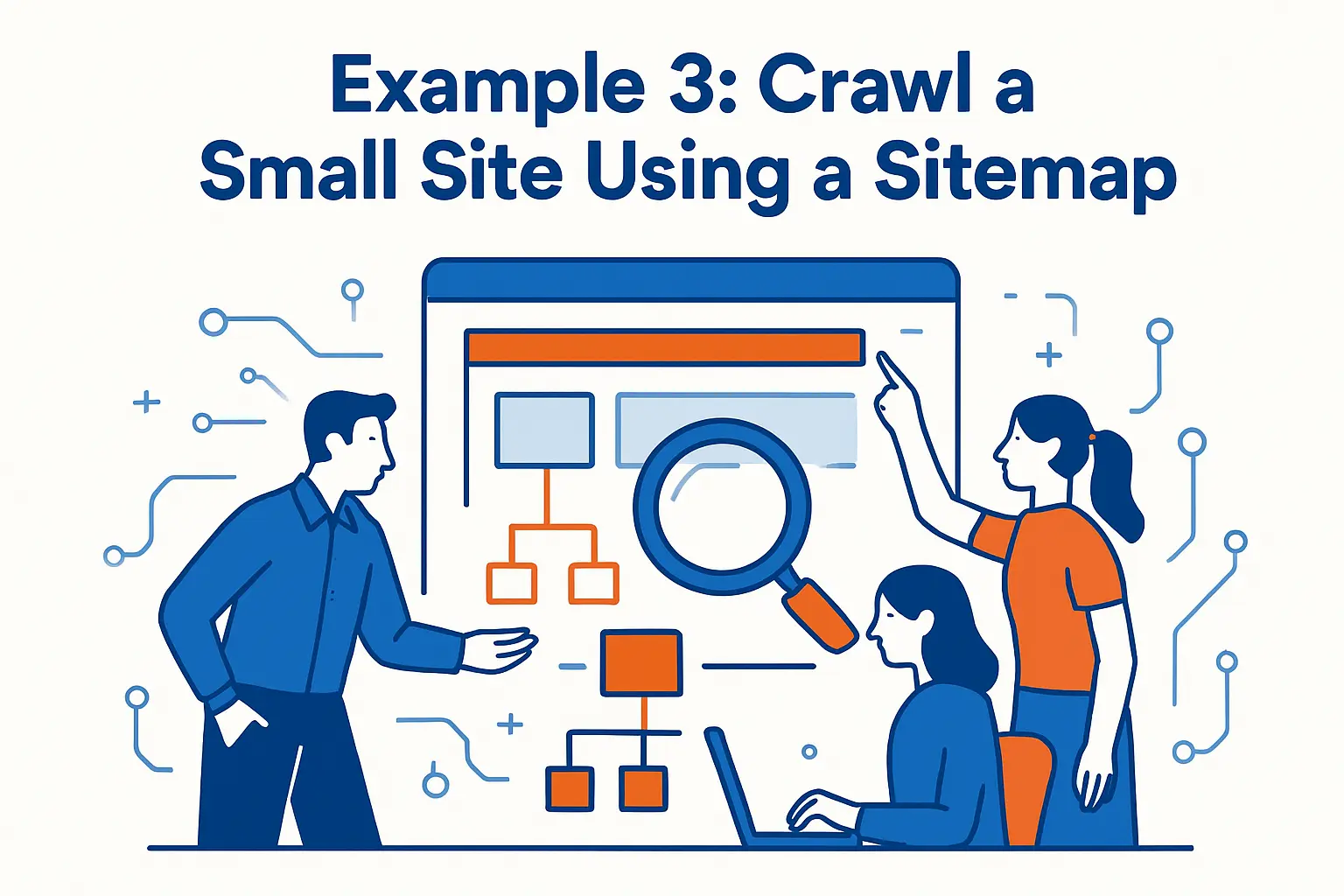
Example 3: Crawl a Small Site Using a Sitemap
1. Start from the Sitemap Instead of Guessing URLs
A sitemap gives you a curated list of pages. It also narrows scope, which helps you stay respectful to the target site.
LangChain supports crawling from a sitemap with SitemapLoader, which extends the same idea as WebBaseLoader.
from langchain_community.document_loaders import SitemapLoadersitemap_url = "https://your-site.com/sitemap.xml"loader = SitemapLoader(web_path=sitemap_url)docs = loader.load()print(len(docs))print(docs[0].metadata)After you fetch the pages, you should reduce the dataset to what your use case needs.
2. Filter Out Pages That Hurt Retrieval
Many sitemaps include tag pages, author pages, and internal search pages. Those pages repeat text and add little value.
So, filter by URL patterns. Keep “/docs/” and “/blog/” if those match your target content. Drop “/tag/” and “/page/” if they generate duplicates.
def keep(url: str) -> bool: return ("/docs/" in url) and ("/tag/" not in url)docs = [d for d in docs if keep(d.metadata.get("source", ""))]Now the dataset supports question answering better. Next, enforce pacing so the site does not treat you like a hostile bot.
3. Add Rate Limits, Caching, and Retries Early
Rate limiting protects the target site and protects your own IP reputation. Caching protects your budget and speeds up iteration.
Even a simple local cache keyed by URL will help. Also, retry transient errors with backoff. These small steps reduce flakiness more than most beginners expect.
Clean, Chunk, and Make Scraped Content Searchable
1. Clean Text Like a Reader, Not Like a Robot
Cleaning decides what the model “sees.” So, clean based on reading experience.
Remove repeated nav items. Drop newsletter signup blocks. Collapse excessive whitespace. Keep headings because headings guide meaning and improve retrieval.
If you need structured cleanup, LangChain also supports using Beautiful Soup as a transformer via BeautifulSoupTransformer.
2. Chunk with Purpose
Chunking is not a formality. It shapes recall and precision.
Use smaller chunks for FAQ-like pages. Use larger chunks for narrative docs. Preserve headings when possible, because headings act like labels that improve semantic search.
3. Build a Retriever That Matches Your Use Case
After you embed chunks, choose a retrieval approach that fits your queries. For example, use similarity search for broad questions. Use metadata filters for product-specific questions.
Also, keep your “source URL” metadata intact. That single field makes debugging and user trust much easier.
Reliability, Compliance, and Not Getting Blocked
1. Treat Scraping as Traffic Engineering
The web now contains a lot of non-human traffic. Cloudflare reports API traffic keeps growing, now accounting for 60% of all traffic, which means many systems already run hot even before you show up with a crawler.
So, pace requests. Cache aggressively. Crawl during off-peak hours when possible. These choices reduce friction for everyone.
2. Expect Bot Controls (Even on “Normal” Sites)
Sites deploy bot defenses because they face continuous probing and scraping. Some defenses block by IP reputation. Others fingerprint browsers. Many challenge suspicious request patterns.
That reality shows up in recent measurement. DataDome’s analysis reports Only 2.8% of websites were fully protected in 2025, which also implies many defenses remain inconsistent and unpredictable.
Therefore, build your pipeline to handle challenges gracefully. Detect blocks. Stop early. Do not brute force.
3. Reduce Security Risk in Your Own Stack
Scraping does not only trigger external defenses. It can also expose your own environment if you treat web input as trusted text.
Do not store raw HTML without scanning. Do not execute page scripts. Keep timeouts and content limits. Log what you fetched so you can audit later.
Also, remember that modern apps pull many third-party resources. Cloudflare highlights that organizations use an average of 47.1 pieces of code from third-party providers, and that complexity often correlates with fragile page rendering and messy extraction.
What Changed Recently (And What Beginners Should Do About It)
1. AI Crawlers Increased the Baseline Load on Publishers
Publishers now see more “retrieval” traffic from AI tools, not just training crawlers. One analysis cites that retrieval bot traffic rose 49% from late 2024 to early 2025, which helps explain why some sites tightened access rules quickly.
As a beginner, you should assume stricter throttling and more frequent blocks than older scraping tutorials suggest.
2. Infrastructure Providers Started Blocking AI Scraping at Scale
Large networks now block massive volumes of automated requests. A recent report notes Cloudflare has blocked 416 billion AI bot requests since July 1, 2025, which signals a clear direction: more enforcement, not less.
That shift rewards polite crawlers. It also punishes “firehose” scraping setups that ignore pacing and access rules.
Beginner-Friendly Project Ideas (With Clear, Specific Outcomes)
1. Turn Public Product Docs into a Search Assistant
Pick one documentation site you rely on. Crawl it via sitemap or a curated URL list. Clean and chunk by headings. Then build a retriever that answers “how do I…” questions with links back to the source pages.
This project teaches the full pipeline while keeping scope controlled.
2. Monitor a Small Set of Pages for Changes
Instead of scraping thousands of pages, scrape a short list daily. Compute hashes of cleaned text. Alert when the content changes.
This approach trains you to build stable loaders, handle timeouts, and avoid duplicates without the pressure of “scale.”
3. Build a Lightweight Competitive Snapshot (Without Going Overboard)
Choose a few competitor pages that matter, like pricing, feature lists, and release notes. Extract only the relevant sections. Store them with timestamps.
Then ask questions like “what changed since last month” using your stored snapshots. This keeps you focused on quality, not volume.
Troubleshooting Checklist (When Your Scraper Breaks)
1. You Get Empty Content
First, confirm whether the page needs JavaScript rendering. If it does, switch to a browser loader. If it does not, inspect your HTML filtering because you might be stripping out the main container.
2. You Get Blocked or Challenged
Slow down and reduce concurrency. Add caching. Rotate less, not more, because chaotic identity shifts look suspicious. Also, stop scraping pages that clearly disallow it.
3. Your Output Looks Messy
Improve cleaning before you tweak embeddings. Remove boilerplate. Preserve headings. Drop repeated nav text. Then re-embed.
4. Retrieval Feels Random
Tighten chunking rules and add metadata filters. Also, ensure each chunk keeps enough context, such as the page title and section heading.






