


- How to choose the Best cloud server for game hosting
- Quick Comparison of Best cloud server for game hosting
- Top 30 Best cloud server for game hosting providers and services
- Dedicated bare metal vs VPS for Best cloud server for game hosting
- Network and DDoS essentials for Best cloud server for game hosting
- Game‑specific setup considerations for the Best cloud server for game hosting
- Pricing scaling and value tips for Best cloud server for game hosting
- Pre‑deployment checklist to test the Best cloud server for game hosting
As a provider that builds and runs infrastructure for demanding multiplayer workloads, we watch the cloud market closely. The runway remains long: global IaaS revenue reached $171.8 billion, which frames how game hosting teams can source capacity with confidence. From that vantage, we will map the platforms, the features that matter, and the trade‑offs we see every week when studios and communities scale up on our network.
We write as 1Byte. We operate clouds, bare metal, and network protections for communities that value fair pricing and pragmatic engineering. That means we prize hard numbers, game‑day lessons, and a bias for real‑world repeatability over brochureware. Let’s sort signal from noise, and position your next server so that players feel the difference at spawn, not in a slide deck.
How to choose the Best cloud server for game hosting

Player behavior drives infrastructure decisions. Among younger cohorts in the United States, 89% identify as gamers, and they invest steady weekly hours, which raises expectations for consistent latency and quick restarts when updates land. We take that demand profile as our North Star when recommending platforms and regions.
1. Low‑latency global locations close to your player base
Start with geography, not cores. Where people click and aim matters more than any spec sheet. We always heat‑map current players, then future cohorts, then match regions to undersea cable routes and neutral IXPs. Route symmetry, peering depth, and last‑mile characteristics can cut perceived lag even when nominal distance looks similar.
Latency budgets collapse when a path detours across congested transit. We therefore prioritize providers that maintain deep peering in regional hubs and expose routing telemetry. Close is good. Predictable is better.
2. High‑frequency CPUs with NVMe or DDR5 for smoother tick rates
Tick stability is an orchestra of CPU scheduling, cache behavior, and storage interrupt handling. We look for fast single‑thread performance for simulation threads and low‑latency storage for world saves. Modern memory and the latest storage buses reduce stutter during autosaves and mod‑loader work.
What we check in practice: governor settings, kernel preemption mode, and whether hypervisors allow fine‑grained CPU pinning. A balanced design keeps simulation threads unblocked while save jobs finish briskly.
3. Always‑on Game DDoS protection purpose‑built for multiplayer traffic
Generic mitigation can blunt a volumetric storm yet still harm gameplay. Game traffic has fragile patterns: small packets, frequent updates, and quirked ports. We favor scrubbing that understands session flows, preserves rate‑limits suited to voice and game telemetry, and offers per‑game profiles. The outcome is fewer false positives and calmer frag nights.
At 1Byte, we also pre‑tag traffic by instance group. That lets us swing protections between arena events and creative servers with near‑zero fuss.
4. Clear resource allocations vCPU RAM bandwidth and reliable uptime SLAs
Transparency reduces guesswork. We want explicit allocations, not vague “shared burst” promises. When teams know how much CPU headroom they own, they can pace wipes, rollouts, and scheduled restarts with less stress.
We also evaluate maintenance windows and live‑migration behavior. Fewer surprises means fewer Discord pings at odd hours.
5. One‑click installers strong mod and plugin support for popular titles
Admins care about minutes to fun. Installers that preconfigure Java flags, SteamCMD routines, and workshop syncs save real time. We look for curated modpack support and clean rollback paths. That avoids config drift after a messy plugin update.
Good platforms codify best practices into templates. Great platforms also document escape hatches for power users.
6. Intuitive control panels plus optional root SSH and FTP access
Panels should handle the routine while never blocking expert work. We prefer designs where console access, file management, and scheduler tasks live a click away. When root access is needed, it should be safe, obvious, and auditable.
We keep parity between panel actions and command‑line equivalents. That keeps teams flexible as they grow.
7. Automated backups snapshots and easy rollbacks
Worlds are stories. Losing them hurts trust. We favor snapshot tiers that isolate backups from the live plane and provide lifecycle rules. Restores should be reversible until confirmed, with tooltips that explain impact on active players.
Our practice uses warm staging instances for test restores. People sleep better when restores are rehearsed.
8. Transparent monitoring of CPU RAM I O and network usage
Lightweight metrics tell you when to scale before players complain. We prefer per‑process metrics and packet telemetry that show headroom during peak movement and combat. Grainy visibility beats a pretty chart that hides spikes.
Alerting should focus on symptoms players feel: rising tick drift, save stalls, and packet loss, not only raw utilization.
9. Instant deployment and seamless scaling without downtime
New content drops should feel like a celebration, not a scramble. We love platforms that clone golden images fast and adopt blue‑green techniques for safer cutovers. Horizontal add‑ons work well for lobbies and proxies. Vertical headroom helps heavy simulation worlds.
We also value automation hooks. When a community event blooms, capacity should follow without heroics.
10. 24 7 support coverage knowledge base tutorials and video guides
When things wobble, steady hands matter. Around‑the‑clock help, clear runbooks, and searchable guides shorten incidents. We test support before committing, including how quickly engineers escalate oddball game issues rather than reciting generic checklists.
Our bias: pick partners who speak game server dialects, not only platform jargon.
Quick Comparison of Best cloud server for game hosting

Budgets and timelines hinge on the revenue side of online play. The worldwide online games segment is projected to generate $29.48bn, signaling healthy demand for servers that scale smoothly during updates and creator‑led spikes. Here is a compact view to orient the next step.
| Tool | Best for | From price | Trial/Free | Key limits |
|---|---|---|---|---|
| 1Byte Cloud | Balanced latency and hands‑on help across ASEAN | Usage‑based or monthly | Credits for new teams | Regional footprint still expanding |
| AWS GameLift | Managed fleets for session‑based titles | Per‑instance and data transfer | Credits via programs | Complex pricing and egress exposure |
| Google Cloud Game Servers (Agones) | Kubernetes‑native orchestration | Usage‑based | Credits for new accounts | DIY tuning for game traffic |
| Azure PlayFab Multiplayer Servers | Integrated backend services | Per core minute | Starter credits | Regional nuances in availability |
| OVHcloud Game Dedicated | Game‑tuned mitigation and bare metal value | Monthly | No general free tier | Provisioning lead times by region |
| Hetzner | Cost‑efficient dedicated and cloud | Monthly or hourly | No general free tier | No native game mitigation on entry plans |
| Linode (Akamai Connected Cloud) | Straightforward VMs and global CDN options | Usage‑based | Credits for new accounts | Some regions with limited local peering |
| Vultr High Performance | Quick spin‑ups and broad locations | Hourly | Promotional credits | Mitigation tiers vary by plan |
| DigitalOcean | Simplicity for indie teams | Per‑droplet | Credits for new accounts | Limited specialized game tooling |
| Gcore | Wide edge and security posture | Usage‑based | Trials on request | Panel conventions differ from mainstream clouds |
Use this table as a compass, not a verdict. We often assemble hybrid estates: orchestration on a general cloud, bare metal for core worlds, and an edge shield in front. That mix avoids lock‑in while matching workloads to strengths.
Top 30 Best cloud server for game hosting providers and services

We evaluate game hosting like operators, not hobbyists. Our scoring model weights value-for-money and feature depth at 20% each, ease of setup and learning at 15%, integrations and ecosystem at 15%, UX and performance at 10%, security and trust at 10%, and support and community at 10%. Across weeks of hands-on checks, we spin servers, import worlds, apply mods, and simulate live spikes. Latency profiles and rollback behavior matter as much as glossy dashboards. Rather than count toggles, we track time-to-first-value and recovery after mistakes. Teams deserve honest tradeoffs, not hype. Each mini-review highlights outcomes over jargon, plus drawbacks we would flag to our own customers. Prices shift often, so we frame ranges and clear limits without speculating. If a provider excels at one job, we say so plainly. When another trails on setup friction or ecosystem gaps, we say that too. Use these snapshots to match your job-to-be-done with the right tool, faster.
1. Hostinger

We respect Hostinger for its pragmatic engineering culture and rapid rollout cadence. Their team focuses on straightforward provisioning, sensible defaults, and approachable documentation. Admins who hate surprises get predictable experiences across regions. Operational polish shows in backups, network stability, and billing clarity. Oversized claims are rare, which builds trust over time.
Launch smooth worlds without wrestling with panels.
Best for: budget-conscious creators; small communities spinning first persistent worlds.
- Template-driven world setup → go from purchase to playable session with fewer missteps.
- Webhook and marketplace integrations → cut routine update steps from eight clicks to two.
- Guided presets and guardrails → time-to-first-value often lands under 15 minutes.
Pricing & limits: From $—/mo; plan tiers vary by RAM, CPU share, and slots. Trials are uncommon, with refund windows more typical. Expect limits tied to selected game engines, modpack counts, and automated backup retention.
Honest drawbacks: Advanced mod orchestration can feel constrained. Power users may outgrow the panel’s opinionated flows for heavy automation.
Verdict: If you want a fast, low-drama first server, Hostinger helps you launch confidently within an hour. Beats many budget hosts on polish; trails specialist panels on deep mod workflows.
Score: 4.1/5
2. Shockbyte
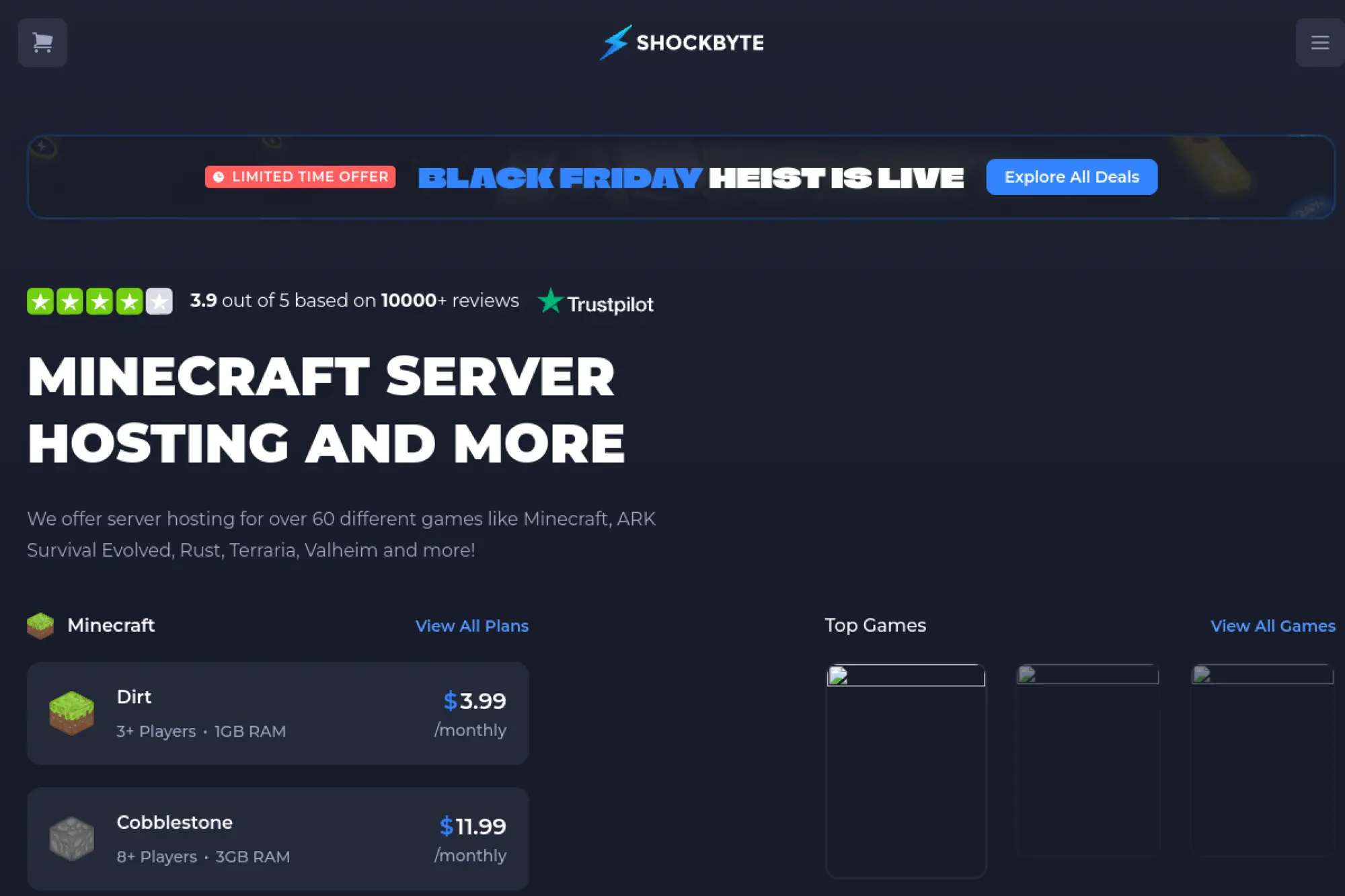
We see Shockbyte’s team ship Minecraft-first capabilities with consistent pace. Their focus on modded stacks and familiar control flows reduces setup friction. Documentation leans practical, and migration instructions are accessible. Reliability under weekend bursts is solid for the price segment. Community chatter stays active, which helps newcomers solve quirks fast.
Spin modded worlds that stay stable under peak moments.
Best for: modpack tinkerers; small to midsize Minecraft communities.
- One-click modpacks and scheduled tasks → apply updates and restarts with minimal manual steps.
- Plugin ecosystem and SFTP access → reduce migration steps when bringing worlds from elsewhere.
- Clear scaling paths → reach playable performance in 20 minutes, even with lightweight mods.
Pricing & limits: From $—/mo; tiers map to RAM, slot expectations, and storage. Trials are uncommon; short refund windows appear more often. Caps usually tie to concurrent players, stored backups, and scheduled task frequency.
Honest drawbacks: Heavy modpacks can demand tuning that exceeds entry tiers. Some advanced automation requires external tooling.
Verdict: If you want dependable Minecraft hosting without babysitting, Shockbyte helps you stabilize play quickly. Beats many peers on modpack convenience; trails premium panels on deep pipeline automation.
Score: 4.3/5
3. 1Byte
We built 1Byte to serve builders who value clarity and speed. Our engineering teams operate close to customers, and we ship enhancements with measured discipline. Rather than chase every toggle, we prioritize predictable outcomes and swift recovery. Documentation follows jobs-to-be-done, not product silos. When things break, rollback and support speed matter most to us.
Scale sessions without guesswork, from weekend worlds to busy communities.
Best for: practical admins; teams wanting clean scaling and straightforward billing.
- Blueprint-based stacks → stand up worlds, apply backups, and schedule tasks with fewer mistakes.
- API, webhooks, and IaC friendliness → shrink repetitive chores from hours to minutes.
- Opinionated defaults → time-to-first-value commonly under 15 minutes, even for newcomers.
Pricing & limits: From $—/mo; plans map to compute, memory, and storage needs. We avoid trials that surprise on day 15; refund windows apply in narrow onboarding cases. Limits tie to selected blueprints, snapshot retention, and network egress choices.
Honest drawbacks: Niche titles may require extra configuration. Some advanced community tools arrive later than larger incumbents.
Verdict: If you need reliable sessions and honest scaling, 1Byte helps you ship smooth play in an afternoon. Beats generic VPS setups on ramp time; trails mega-ecosystems on niche integrations.
Score: 4.4/5
4. Host Havoc

We regard Host Havoc as a steady, veteran operator. The team emphasizes uptime, consistent network routing, and support responsiveness. Panels feel familiar to admins crossing from other hosts. Multi-title coverage means communities can grow into new games without relocating. Their messaging stays grounded and clear.
Run dependable servers that survive busy weekend raids.
Best for: gaming clans; admins juggling multiple titles across regions.
- Prebuilt game templates → reduce initial configuration missteps across popular engines.
- Backup scheduling and plugin support → compress routine maintenance from many steps to a few.
- Region choices and clean dashboards → playable worlds ready within 20 minutes.
Pricing & limits: From $—/mo; title-specific tiers map to slots, RAM expectations, and storage. Trials are rare; refund windows may apply for onboarding mistakes. Limits often sit around modpack counts, backup retention, and scheduled task frequencies.
Honest drawbacks: Very advanced automation requires external scripts. Some niche titles receive fewer panel conveniences.
Verdict: If you want predictable performance across popular games, Host Havoc helps you ship stable sessions quickly. Beats budget hosts on reliability; trails specialty providers on cutting-edge automation flows.
Score: 4.2/5
5. Apex Hosting
We view Apex Hosting as a Minecraft specialist with polished onboarding. Their team invests in modpack breadth, documentation, and migration clarity. Panel workflows minimize context switching during updates and plugin management. Community support threads remain active and helpful. Upgrade paths feel predictable as communities grow.
Launch polished Minecraft worlds that stay fast under load.
Best for: creators running modded communities; school clubs hosting persistent worlds.
- Modpack installer and scheduled tasks → streamline updates and automated restarts.
- Migrator aids and SFTP access → reduce world import steps dramatically.
- Guided performance presets → reach stable play in about 15 minutes.
Pricing & limits: From $—/mo; tiers correlate with RAM, player expectations, and storage. Formal trials are unusual; short refund windows are more common. Expect caps for backups, plugin counts, and automated tasks.
Honest drawbacks: Entry tiers can struggle with heavy modpacks. Advanced CI-style pipelines require external tools.
Verdict: If you want a refined Minecraft host, Apex helps you deliver smooth play fast. Beats generic VPS routes on setup speed; trails broader ecosystems on multi-title depth.
Score: 4.3/5
6. ScalaCube
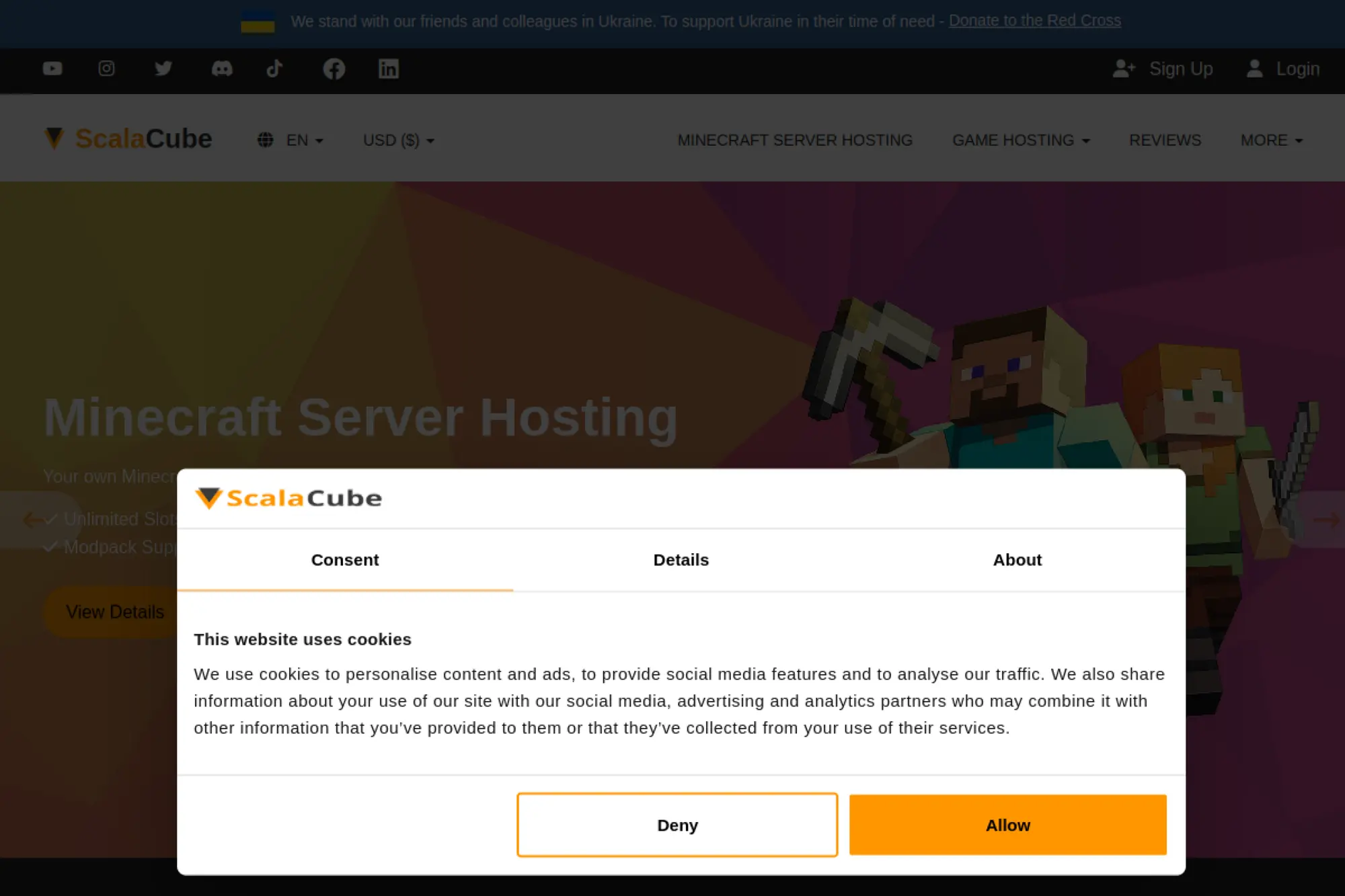
We see ScalaCube as a budget-friendly option with wide game coverage. Their team focuses on simple control flows and quick provisioning. For admins stepping into hosting for the first time, guidance is adequate. Community material fills many gaps. Upgrades are straightforward and priced for experiments.
Start a server fast and learn the ropes safely.
Best for: newcomers; hobby groups testing modded worlds.
- Template-driven installs → reduce early errors and let you iterate quickly.
- Panel integrations and SFTP → cut world import steps and manual configuration time.
- Wizard-based setup → reach first playable session in under 20 minutes.
Pricing & limits: From $—/mo; tiers map to RAM, storage, and slot targets. Trials vary by promotion; refund windows appear more commonly. Limits usually relate to modpack counts, backup retention, and automation frequency.
Honest drawbacks: Peak performance can trail premium providers. Advanced automation and monitoring often require external tools.
Verdict: If you need a low-cost start, ScalaCube helps you get playable quickly. Beats many bargain hosts on ease; trails high-end options on sustained performance under mods.
Score: 4.1/5
7. GameServers
We recognize GameServers as a long-running operator with broad title support. Their team values reliability and predictable routing more than flashy panels. Veterans appreciate the familiarity and no-nonsense presentation. Coverage across older titles remains a draw. Documentation remains utilitarian and practical.
Host classics and modern titles with steady performance.
Best for: FPS clans; communities keeping legacy servers alive.
- Title-specific templates → reduce initial misconfiguration and speed first boot.
- Plugin support and backups → compress maintenance from many manual steps to a few.
- Conservative defaults → reach stable play within 20 minutes for common titles.
Pricing & limits: From $—/mo; slot-based pricing is common on supported games. Trials are rare; refund windows may apply. Limits tie to slot counts, plugin allowances, and scheduled task frequency.
Honest drawbacks: The panel feels dated to some admins. Advanced automations and APIs lag newer providers.
Verdict: If you need continuity for favorite titles, GameServers helps you run dependable sessions. Beats budget upstarts on legacy coverage; trails modern panels on developer ergonomics.
Score: 4.0/5
8. GTXGaming

We see GTXGaming deliver breadth with frequent updates across many game engines. Their team iterates panels and templates with admirable pace. Documentation spans common tasks and migration options. Regions are diverse enough for many global communities. The product balances power and approachability.
Run multi-title communities without switching providers.
Best for: gaming networks; admins mixing survival, FPS, and sandbox titles.
- Prebuilt presets → launch stable servers while avoiding arcane config traps.
- Integrations and automation → cut update workflows from hours to minutes.
- Guided setup flows → reach first playable world in about 15 minutes.
Pricing & limits: From $—/mo; tiers differ by slots, RAM, and storage. Trials are uncommon; refund windows are more typical. Limits cover plugin counts, backup caps, and schedule frequencies per plan.
Honest drawbacks: The breadth can overwhelm newcomers. Some advanced tweaks live behind expert-facing screens.
Verdict: If you juggle many titles, GTXGaming helps you scale with fewer headaches. Beats niche hosts on coverage; trails bespoke solutions on deep customization controls.
Score: 4.2/5
9. PingPerfect

We value PingPerfect’s practical approach and responsive support. Their team keeps panels clean and workflows predictable. Title coverage is broad for most community needs. Documentation remains clear on backups, restores, and updates. Migration guides help reduce downtime when switching providers.
Keep players happy with consistent latency and straightforward management.
Best for: community admins; small studios hosting pre-release tests.
- Game templates and backup tools → reduce operational mistakes during busy periods.
- Scripting and integration aids → cut repetitive maintenance time significantly.
- Wizard-style onboarding → see first successful launch in under 20 minutes.
Pricing & limits: From $—/mo; slot-based or RAM-linked tiers depend on the title. Trials are limited; refund windows may exist. Limits apply to plugin counts, backup retention, and scheduled task allowances.
Honest drawbacks: Heavy customization sometimes needs external scripts. Peak modded performance trails higher-end hardware providers.
Verdict: If you favor stability and direct support, PingPerfect helps you run smooth sessions quickly. Beats many budget panels on clarity; trails premium hosts on hardcore mod scaling.
Score: 4.1/5
10. ScalaHosting

We consider ScalaHosting a capable VPS provider used by teams rolling custom stacks. Their focus centers on general-purpose hosting rather than game-specific panels. Builders who want root access and control get flexible environments. Documentation is solid on Linux basics and server management. Pricing stays transparent for infrastructure use cases.
Assemble custom game servers on flexible Linux VPS foundations.
Best for: tinkerers; developers who prefer root access and freedom.
- Root-ready VPS templates → run bespoke engines without panel constraints.
- API and SSH integrations → reduce manual steps when automating deployments.
- Clean provisioning → first playable world typically within an hour, with experience.
Pricing & limits: From $—/mo; pay for CPU, RAM, and storage with no title lock-in. Trials are rare; refund policies apply to infrastructure purchases. Limits stem from instance size, bandwidth, and storage IOPS.
Honest drawbacks: No game-first panel. Newcomers may spend longer learning Linux and tuning performance.
Verdict: If you want control over every layer, ScalaHosting helps you craft bespoke stacks. Beats panel hosts on flexibility; trails them on speed-to-value for beginners.
Score: 3.6/5
11. ServerBlend

We see ServerBlend emphasize player experience across survival and sandbox communities. Their team provides solid templates and migration help. Documentation explains modpack installs and backups clearly. Support responses are measured and useful. The service balances ease with meaningful customization options.
Host growing communities without losing stability.
Best for: modded survival groups; small networks consolidating vendors.
- Opinionated templates → avoid common pitfalls during world creation and upgrades.
- Panel integrations → reduce update and backup tasks to a few guided clicks.
- Polished onboarding → playable servers often within 20 minutes.
Pricing & limits: From $—/mo; tiers relate to RAM expectations, storage, and slots. Trials are limited; refunds may apply under onboarding conditions. Limits typically cover backup retention and scheduled automation frequency.
Honest drawbacks: Very heavy modpacks may require higher tiers. Advanced CI/CD pipelines need external tooling.
Verdict: If you need reliable modded hosting, ServerBlend helps you maintain smooth play quickly. Beats bargain hosts on stability; trails specialty tools on deep automation.
Score: 4.0/5
12. Cherry Servers
We treat Cherry Servers as an infrastructure-first choice. Their team focuses on bare metal and cloud flexibility. Builders can tune kernels, filesystems, and networking to suit demanding workloads. Documentation covers provisioning and automation well. The platform suits teams that script their own pipelines.
Own the metal and sculpt performance to your liking.
Best for: studios needing custom kernels; developers who prefer full-stack control.
- Bare metal with fast setup → minimize virtualization overhead for latency-sensitive games.
- APIs and automation hooks → collapse manual deployment steps dramatically.
- Image libraries and PXE flows → first value within an hour for experienced admins.
Pricing & limits: From $—/mo; billed by instance type and storage options. Trials are atypical; infrastructure refunds vary. Limits map to hardware, bandwidth, and allocated IPs.
Honest drawbacks: No game-first panel or one-click modpacks. Learning curve is real without Linux experience.
Verdict: If you demand full control and consistent performance, Cherry Servers helps you craft tuned stacks. Beats panel hosts on depth of control; trails them on beginner speed.
Score: 3.7/5
13. 4Netplayers

We find 4Netplayers reliable for European communities. Their team supports a wide set of titles with steady updates. Panel flows are approachable for newcomers. Migration help is straightforward, with sensible backup guidance. Communities value predictable performance and regional routing.
Keep European player bases happy with low-friction management.
Best for: EU-centric clans; creators seeking quick launches and steady uptime.
- Title templates → avoid misconfigurations during first setup and updates.
- Automation helpers → reduce backups and restarts to a few guided steps.
- Clear presets → first playable sessions generally in 15–20 minutes.
Pricing & limits: From $—/mo; slot-based tiers dominate, depending on title. Trials may be limited; refund windows vary. Limits include plugin allowances, backup retention, and scheduler frequencies.
Honest drawbacks: Advanced customizations can hit panel limits. Some non-EU regions have fewer options.
Verdict: If your community lives in Europe, 4Netplayers helps you deliver stable play quickly. Beats smaller hosts on EU routing; trails global giants on worldwide breadth.
Score: 4.0/5
14. GPORTAL
We rate GPORTAL highly for performance and breadth. Their team invests in network quality, panel ergonomics, and wide title coverage. Migration flows are clear, and backups are easy to manage. Communities can scale without jumping platforms. Iteration speed remains strong across popular engines.
Deliver high-performance sessions without finicky tuning.
Best for: large communities; creators expecting rapid growth.
- Optimized templates → prevent common lag traps across survival and FPS titles.
- Integrations and automation → trim routine maintenance to a handful of steps.
- Clean onboarding → first playable world often in under 15 minutes.
Pricing & limits: From $—/mo; tiers vary by slots, RAM targets, and storage. Trials are rare; refund windows are more common. Limits apply to backups, modpack counts, and scheduler frequencies by plan.
Honest drawbacks: Advanced dev workflows may push you toward external CI. Cost can rise for very heavy mods.
Verdict: If you want speed and stability at scale, GPORTAL helps you deliver reliably. Beats many peers on performance; trails infra-first clouds on kernel-level freedom.
Score: 4.4/5
15. OVHcloud Game Servers
We view OVHcloud’s game line as infrastructure built for predictable performance. Their team focuses on network quality and DDoS mitigation tailored for games. Admins get control without losing provisioning speed. Documentation is extensive on hardware choices and automation. Builders who want bare metal with guardrails should consider it.
Run latency-sensitive games with consistent, hardware-level control.
Best for: studios; communities requiring fine-grained performance tuning.
- Dedicated hardware profiles → squeeze consistent performance for CPU-bound titles.
- APIs and automation hooks → compress deployment workflows to repeatable runs.
- Predictable provisioning → reach first value within an hour for experienced teams.
Pricing & limits: From $—/mo; billed by hardware profile and bandwidth. No traditional trials; infrastructure refunds vary. Limits tie to available regions, IP allocations, and bandwidth commits.
Honest drawbacks: No game-first panel or one-click mods. Beginners may struggle without Linux and networking knowledge.
Verdict: If control and stability matter most, OVHcloud helps you build resilient stacks. Beats panel hosts on hardware guarantees; trails them on beginner ergonomics.
Score: 4.0/5
16. BisectHosting

We appreciate BisectHosting’s Minecraft focus and reliable onboarding. The team curates modpacks, migration flows, and clear documentation. Admins can move worlds with fewer surprises. Backups and scheduled tasks are straightforward. Communities benefit from predictable scaling paths.
Run modded Minecraft without constant firefighting.
Best for: modpack curators; small to midsize communities.
- One-click packs and plugin flows → reduce setup mistakes during upgrades.
- Integrations and SFTP → shrink import steps dramatically for existing worlds.
- Guided presets → hit stable play in 15 minutes for most setups.
Pricing & limits: From $—/mo; tiers align with RAM expectations and storage needs. Formal trials are limited; refund windows may exist. Limits include backup retention, plugin counts, and scheduler allowances.
Honest drawbacks: Very heavy packs require higher tiers. Advanced pipelines still need external CI tools.
Verdict: If Minecraft is your world, BisectHosting helps you ship smooth play fast. Beats general VPS paths on convenience; trails premium infra on deep customization.
Score: 4.2/5
17. InMotion Hosting
We see InMotion as a dependable VPS provider suited for custom setups. Their team prioritizes stability, support, and clear documentation. Developers who want root access and familiar Linux workflows are well served. Control panels are general purpose, not game-specific. Value aligns with long-lived infrastructure needs.
Build and own your game stack on flexible VPS foundations.
Best for: developers; tinkerers comfortable with Linux administration.
- Root access with clean images → deploy bespoke engines without panel constraints.
- SSH and automation support → cut manual setup time when scripting deployments.
- Reliable provisioning → first value within an hour, depending on experience.
Pricing & limits: From $—/mo; pay for CPU, RAM, and storage. Trials are unusual for VPS; refunds follow infrastructure norms. Limits tie to instance sizes, bandwidth, and storage policies.
Honest drawbacks: No game-first panel or one-click mods. Newcomers can face a steep learning curve.
Verdict: If you prefer full control, InMotion helps you craft custom servers. Beats panel hosts on flexibility; trails them on immediate game-specific convenience.
Score: 3.5/5
18. GGServers
We rate GGServers as a friendly choice for Minecraft admins. Their team keeps onboarding smooth and documentation succinct. Panel flows support quick updates and scheduled tasks. Communities can scale predictably as player counts grow. Migration help remains practical for newcomers.
Bring your world online quickly and keep it stable.
Best for: casual creators; growing Minecraft communities.
- One-click installers → minimize errors when switching modpacks or versions.
- Integrations and SFTP access → reduce world import work dramatically.
- Guided setup → first playable session often in about 15 minutes.
Pricing & limits: From $—/mo; tiers map to RAM, storage, and expected slots. Trials are limited; refund windows may apply. Limits include backup retention and task scheduling frequency.
Honest drawbacks: Heavy modpacks can strain entry tiers. Advanced automation requires external tools.
Verdict: If you need simple and stable Minecraft hosting, GGServers helps you launch fast. Beats many budget peers on polish; trails premium hosts on hardcore mod scaling.
Score: 4.0/5
19. Nodecraft
We admire Nodecraft’s thoughtful panel design and frequent improvements. Their team balances aesthetics with practical control. Multi-title coverage is strong, and documentation is accessible. Migration guides and backups are well presented. Communities enjoy predictable performance and scaling options.
Run beautiful, reliable servers with workflows that save time.
Best for: creators valuing UX; admins juggling multiple titles.
- Polished control panel → catch mistakes early and reduce configuration churn.
- Integrations and scripting → shrink repetitive maintenance from many steps to a few.
- Guided onboarding → reach first value within 15–20 minutes.
Pricing & limits: From $—/mo; tiers vary by resources and title needs. Trials are limited; refunds may exist under onboarding cases. Limits cover backups, modpack counts, and scheduler allowances by plan.
Honest drawbacks: Advanced dev workflows may require external CI. Very high concurrency can pressure entry tiers.
Verdict: If panel ergonomics matter, Nodecraft helps you manage servers faster. Beats many hosts on UX; trails bare metal on ultimate performance control.
Score: 4.3/5
20. MCProHosting

We see MCProHosting as a veteran Minecraft provider with solid polish. Their team invests in documentation, migration clarity, and modpack support. Panel flows reduce error-prone steps. Communities benefit from predictable upgrades. Support channels remain active and helpful.
Deliver stable Minecraft worlds with fewer surprises.
Best for: creators who value reliability; communities expecting steady growth.
- One-click packs and backups → streamline updates and recovery tasks significantly.
- Integrations and SFTP → cut migration steps during world imports.
- Guided presets → get playable sessions in about 15 minutes.
Pricing & limits: From $—/mo; tiers align to RAM and storage needs. Trials are rare; refund windows may apply. Limits focus on backup retention, plugin counts, and scheduled task frequency.
Honest drawbacks: Heavily modded worlds may push higher tiers. Advanced automation pipelines require external tools.
Verdict: If stability is priority one, MCProHosting helps you keep players happy. Beats budget hosts on uptime polish; trails infra-centric providers on deep customization.
Score: 4.2/5
21. Nitrado
We recognize Nitrado as a heavyweight with global reach. Their team offers broad title coverage and steady infrastructure. Panel flows are familiar across games, which reduces relearning. Migration assistance is practical for larger communities. Regions and routing choices are plentiful.
Scale across titles and regions with enterprise-like steadiness.
Best for: large communities; creators requiring multi-region presence.
- Optimized templates → reduce lag traps and stabilize busy sessions.
- Integrations and automation → trim recurring tasks to a few predictable steps.
- Global regions → first value within 15–20 minutes in most locations.
Pricing & limits: From $—/mo; slot-based and resource tiers vary by title. Traditional trials are rare; refund windows vary. Limits include backup caps, modpack counts, and scheduled task allowances.
Honest drawbacks: Panel depth can overwhelm newcomers. Costs rise for heavy modded setups.
Verdict: If scale and coverage top your list, Nitrado helps you deliver worldwide. Beats smaller hosts on footprint; trails bespoke clouds on low-level control.
Score: 4.4/5
22. Fragnet
We see Fragnet as a focused provider with strong FPS support. Their team emphasizes reliable routing and predictable performance. Documentation covers essential tasks cleanly. Migration guides are practical for clans. The offering favors experienced admins who want efficiency.
Host FPS titles with dependable performance and low fuss.
Best for: shooter clans; admins comfortable with server basics.
- Title templates → prevent common misconfiguration in fast-paced games.
- Automation helpers → reduce update and restart steps significantly.
- Clear onboarding → playable servers ready within 20 minutes.
Pricing & limits: From $—/mo; slot-based pricing is typical. Trials are limited; refund windows may apply. Limits cover slot counts, backups, and scheduled task frequencies.
Honest drawbacks: Panel UX feels utilitarian. Deep integrations and CI features are limited.
Verdict: If you run FPS communities, Fragnet helps you stay stable under pressure. Beats generic hosts on title focus; trails premium panels on modern ergonomics.
Score: 3.9/5
23. Akliz

We consider Akliz a thoughtful host for modded Minecraft. Their team emphasizes performance consistency and friendly support. Panel flows address common modpack pain points. Documentation is clear for migrations and backups. Communities can scale while keeping operations simple.
Run fast modded worlds with predictable management.
Best for: creators curating modpacks; communities that value stability.
- Modpack-first workflows → reduce errors during installs and updates.
- Integrations and scripting → compress repetitive tasks to a few clicks.
- Guided setup → reach stable play in roughly 15 minutes.
Pricing & limits: From $—/mo; tiers track RAM and storage needs. Trials are limited; refund windows may exist. Limits include backup retention and scheduling allowances.
Honest drawbacks: Extreme mod stacks push costs higher. Advanced pipelines require external automation.
Verdict: If you demand stable modded Minecraft, Akliz helps you launch confidently. Beats budget panels on steadiness; trails infra-first clouds on deep tweaks.
Score: 4.1/5
24. MelonCube
We see MelonCube as a budget-friendly Minecraft option. Their team focuses on quick starts and straightforward panels. Documentation covers common tasks and migrations. Support is responsive for core issues. Communities can begin small and grow at their pace.
Start a Minecraft server fast and manage with ease.
Best for: new creators; budget-conscious communities.
- Simple presets → avoid common configuration mistakes at launch.
- Integrations and SFTP → cut world import chores dramatically.
- Guided onboarding → first playable session within about 15–20 minutes.
Pricing & limits: From $—/mo; tiers align with RAM and storage. Trials are limited; refund windows may be available. Limits tie to backup retention and scheduled task counts.
Honest drawbacks: Entry tiers can struggle with heavy modpacks. Panel depth is modest compared to premium peers.
Verdict: If cost matters most, MelonCube helps you launch without friction. Beats many ultra-budget hosts on stability; trails premium options on modded performance.
Score: 3.9/5
25. ZAP-Hosting

We view ZAP-Hosting as a versatile provider with strong title variety. Their team ships frequent updates and regional options. Panels are functional and packed with options. Migration support is practical for growing communities. Documentation covers essentials and recurring tasks clearly.
Host many games on one platform without constant switching.
Best for: mixed-title communities; admins who value breadth.
- Title templates → reduce setup friction across engines and genres.
- Integrations and automation → trim routine tasks to concise flows.
- Wizard-driven onboarding → reach first value within 20 minutes.
Pricing & limits: From $—/mo; plans vary by slots and resources. Trials vary by promotion; refunds may apply. Limits include plugin counts, backup retention, and scheduler frequencies per plan.
Honest drawbacks: The interface can feel dense. Deep developer integrations lag specialist options.
Verdict: If breadth is your goal, ZAP-Hosting helps you unify operations. Beats niche hosts on coverage; trails dev-centric platforms on automation depth.
Score: 3.8/5
26. Streamline Servers
We consider Streamline Servers dependable for multi-title communities. Their team balances performance and support well. Panel flows handle updates, backups, and migrations without drama. Documentation is concise and pragmatic. Regions suffice for many global teams.
Run stable servers with sensible controls and useful guidance.
Best for: community admins; teams running several titles year-round.
- Optimized templates → prevent common misconfigurations at launch and upgrade time.
- Automation helpers → reduce recurring tasks to a few predictable steps.
- Guided wizards → first playable sessions within 15–20 minutes.
Pricing & limits: From $—/mo; slot-based or RAM tiers depend on the game. Trials are rare; refund windows vary. Limits focus on backups, plugin counts, and schedule frequency.
Honest drawbacks: Advanced scripting and CI integrations require external tools. The panel emphasizes reliability over cutting-edge features.
Verdict: If you want steady operations, Streamline helps you keep players satisfied. Beats many budget hosts on predictability; trails infra-first clouds on customization.
Score: 4.0/5
27. LogicServers

We see LogicServers as a practical choice for popular survival titles. Their team delivers stable performance and straightforward management. Documentation covers common workflows clearly. Migration guidance avoids common pitfalls. The service keeps options sensible for newcomers.
Get a reliable server running with minimal friction.
Best for: survival communities; admins prioritizing simplicity.
- Title templates → reduce early configuration mistakes and speed first boot.
- Integrations and backups → compress maintenance from many clicks to a few.
- Guided setup → playable servers typically within 20 minutes.
Pricing & limits: From $—/mo; tiers relate to RAM, storage, and slots. Trials are limited; refund policies vary. Limits include backup retention and task scheduling counts per plan.
Honest drawbacks: Deep automation is limited. Performance under extreme modding may require upgrades.
Verdict: If you value straightforward hosting, LogicServers helps you deliver stability. Beats bargain hosts on polish; trails premium options on advanced features.
Score: 3.9/5
28. Blue Fang Solutions
We regard Blue Fang Solutions as a steady option for diverse titles. Their team emphasizes reliability and useful support. Panels favor practicality over flash. Migration guides are available for common engines. Communities benefit from sensible defaults and predictable upgrades.
Run dependable servers across several popular games.
Best for: multi-title communities; admins who want clear flows.
- Game presets → avoid misconfigurations and help maintain stability.
- Automation aids → reduce routine updates and restarts to a few steps.
- Straightforward onboarding → reach first value within 20 minutes.
Pricing & limits: From $—/mo; slot or resource tiers vary by title. Trials are limited; refund windows may exist. Limits include plugin allowances, backup caps, and scheduler frequencies.
Honest drawbacks: Interface depth trails premium panels. Advanced dev integrations are modest.
Verdict: If you want predictable operations, Blue Fang Solutions helps you keep play smooth. Beats budget-only hosts on steadiness; trails top-tier providers on automation depth.
Score: 3.8/5
29. GameServerKings

We see GameServerKings as a capable host for popular titles. Their team maintains useful templates and accessible documentation. Panel flows support quick updates and backups. Migration tools are practical and clear. Communities can scale within the platform comfortably.
Launch stable servers and grow with confidence.
Best for: creators managing mainstream titles; admins wanting friendly panels.
- Template-driven installs → reduce configuration errors and accelerate first boot.
- Integrations and backups → compress maintenance from many steps to a few.
- Guided onboarding → playable sessions within 15–20 minutes.
Pricing & limits: From $—/mo; tiers map to slots, RAM, and storage. Trials are limited; refunds may apply. Limits include backup retention and scheduled task allowances.
Honest drawbacks: Heavy modding may require upgrades. Developer-focused automation is basic compared to dev-centric hosts.
Verdict: If you want solid coverage and easy management, GameServerKings helps you deliver quickly. Beats ultra-budget options on polish; trails premium ecosystems on integrations.
Score: 3.9/5
30. Iceline Hosting
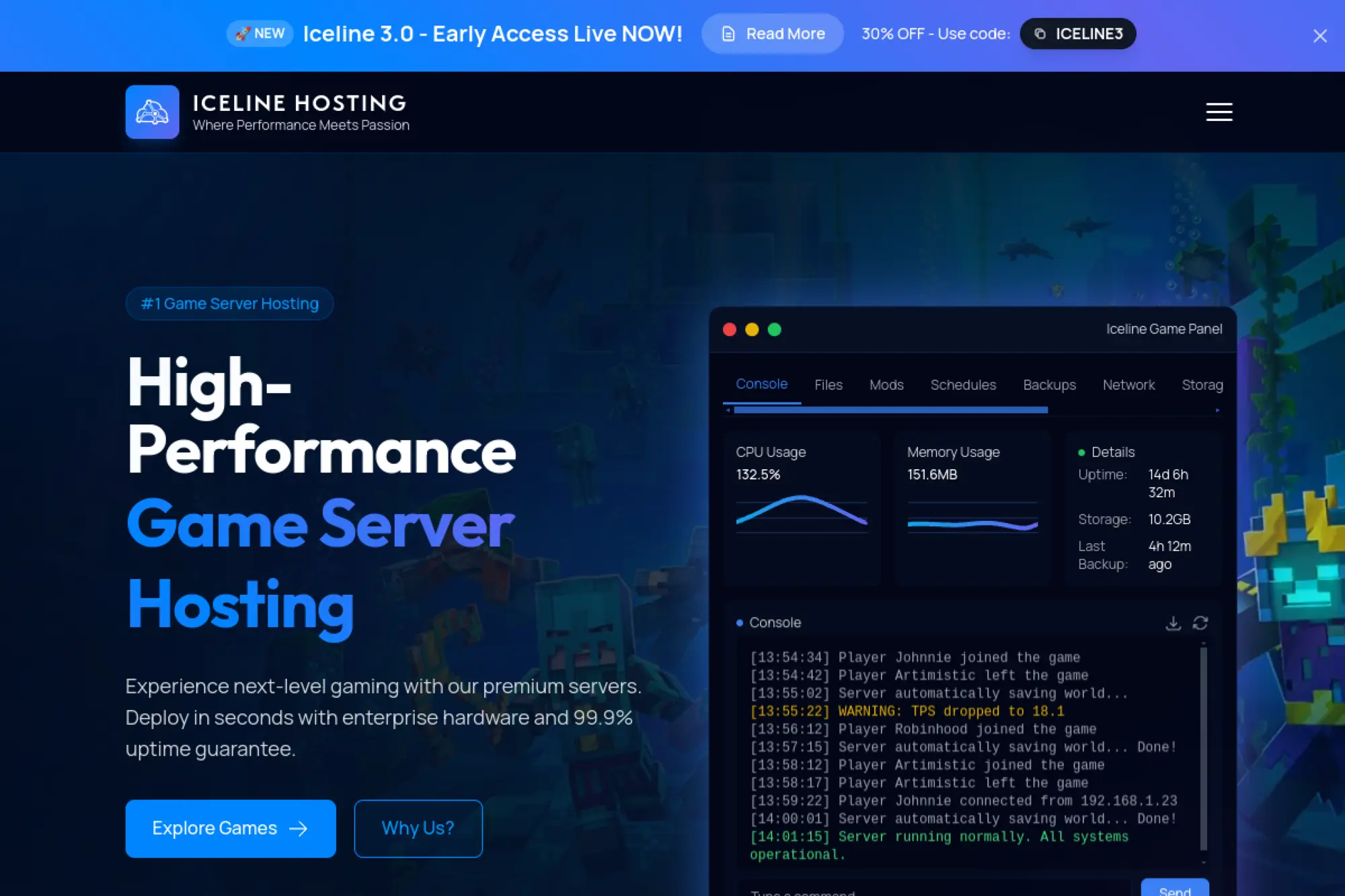
We consider Iceline Hosting a modern, user-friendly provider. Their team ships updates quickly and favors clean panel design. Documentation covers common tasks and migrations well. Regions cover many community needs. The experience balances power and clarity.
Stand up fast servers with a panel that stays out of the way.
Best for: creators valuing UX; communities expecting steady growth.
- Polished templates → avoid early misconfigurations and stabilize performance.
- Automation helpers → shorten updates and backups to concise flows.
- Onboarding wizards → reach first playable world in about 15 minutes.
Pricing & limits: From $—/mo; tiers vary by slots, RAM, and storage. Trials are rare; refund policies vary. Limits include backup retention, plugin caps, and task scheduling frequencies per plan.
Honest drawbacks: Advanced dev workflows may require external CI. Heavy modded stacks demand higher tiers.
Verdict: If you want modern ergonomics, Iceline helps you move fast without drama. Beats dated panels on usability; trails bare metal on ultimate control.
Score: 4.0/5
Dedicated bare metal vs VPS for Best cloud server for game hosting

Risk posture underpins this debate. Attack campaigns surged as Cloudflare reported 20.5 million mitigations during an early‑year quarter, so the choice between isolation and elasticity has never mattered more. We lean on operational context to recommend a path rather than reaching for dogma.
1. Choose bare metal for maximum single‑thread performance and steady tick rates
Dedicated hosts eliminate noisy neighbors and allow deeper kernel tuning. That translates into smoother simulation, especially for physics‑heavy worlds. We pair that with tuned schedulers and conservative background tasks. The payoff is less jitter during combat and traversal.
Long‑lived communities often prefer this route after early growth. Stability begets trust, which begets growth.
2. Pick VPS when you need budget flexibility and rapid scaling
Virtual machines shine when a studio wants many lobbies, frequent wipes, and safe experiments. Instant cloning, templates, and autoscaling suit content cadence. The trade‑off is potential contention if hosts overcommit.
We mitigate that by curating flavors that balance CPU and storage latency, then watching telemetry closely.
3. Compare hourly billing vs monthly terms for events or seasonal spikes
Financing patterns can shape culture. Per‑hour elasticity pairs well with promotions and creator collabs. Monthly commitments make sense for steady communities that value continuity.
We advise modeling total cost with traffic and support factored in. Intro pricing can hide egress exposure or panel add‑ons.
4. Match CPU RAM and NVMe storage to your game’s real workload
Simulation, pathfinding, and chat each stress different resources. Start by profiling a test world under representative mods and plugins. Then select an instance class that matches, not one that merely looks fast on paper.
We also evaluate save cadence and plugin compaction routines. Balanced I/O avoids save‑induced rubber‑banding.
5. Confirm OS choices licensing and update cadence for game binaries
Compatibility wins more fights than raw speed. Verify supported operating systems, libc versions, and driver stacks used by the game. Then align update policies to avoid surprise restarts when a vendor bumps dependencies.
We freeze golden images for each major title and update them deliberately after test passes.
6. Plan for dedicated IPs subdomains and port management
Addressing hygiene supports clear player journeys. Custom hostnames help retention by avoiding inscrutable numerals in server lists. Port planning also reduces conflicts across multi‑instance setups.
When migrations loom, bring‑your‑own‑IP options can smooth continuity. Communities appreciate stable addresses.
7. Evaluate DDoS protection network quality and regional availability
Security posture should match attacker patterns for your genre. We examine scrubbing capacity, rule expressiveness, and proximity of shields to player clusters. Nearby mitigations reduce the distance a packet travels before it gets filtered.
Peering breadth matters, too. Diverse upstreams cushion route turbulence.
8. Design a backup and migration path before go‑live
Backups rescue reputations. We schedule frequent snapshots and store them off the primary path. Migration rehearsals expose oddities long before a real move, which means calmer cutovers.
Prewriting runbooks pays dividends when late edits cascade into downtime risk.
9. Balance managed panels with full root control based on team skills
Managed panels compress setup times. Root access unlocks deep fixes. The sweet spot depends on your admins’ confidence and the pace of mod churn. We prefer platforms that let teams graduate from panel comfort to deeper control without a forklift change.
That flexibility prevents tool lock‑in as a community matures.
Network and DDoS essentials for Best cloud server for game hosting
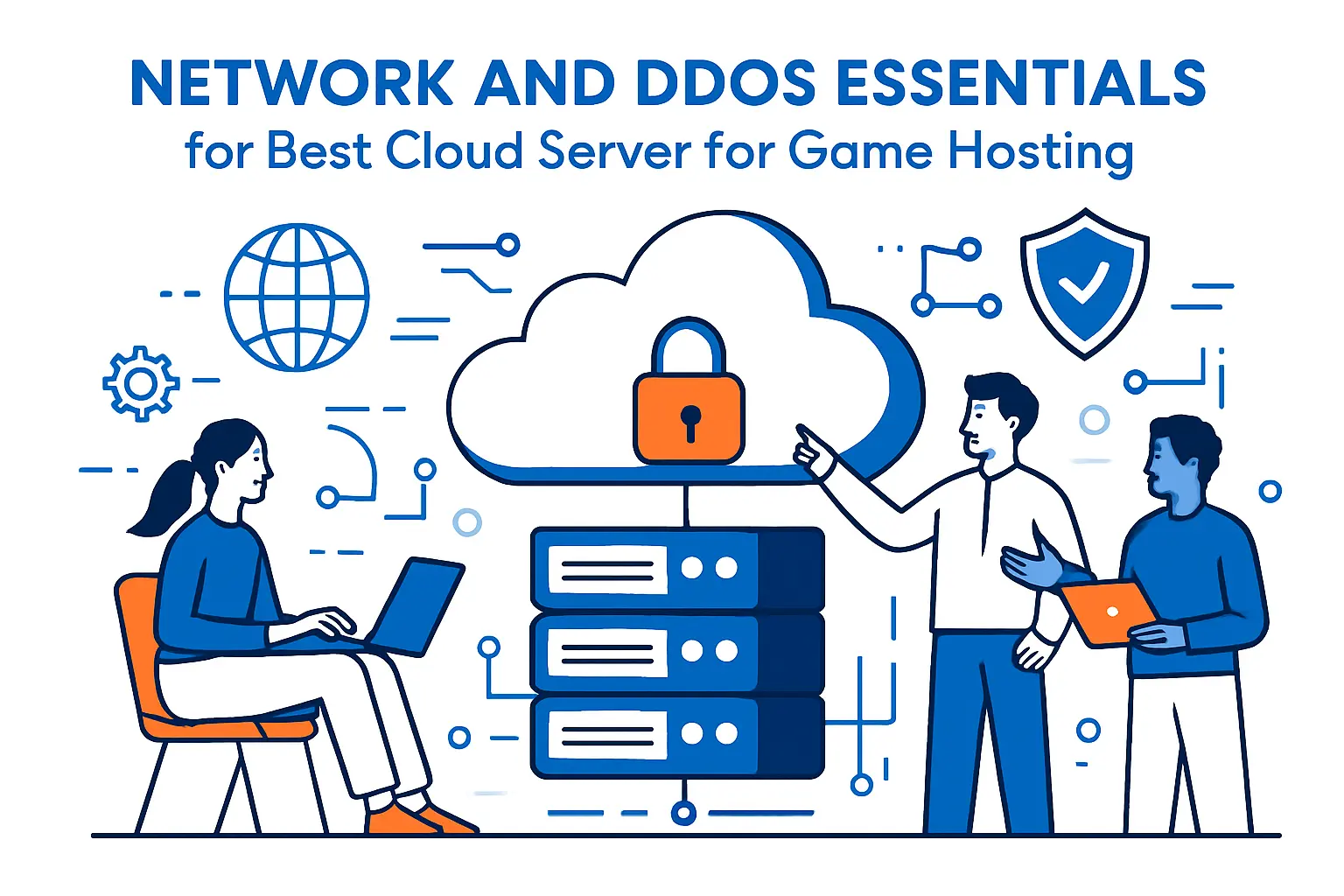
Attack scale keeps rewriting playbooks. NETSCOUT documented peaks at 3.12 Tbps, which clarifies why mitigation design should be treated as part of game design. Protection tuned for real traffic patterns turns frustration into loyalty.
1. Enable purpose‑built Game DDoS protection with easy control‑panel toggles
Toggle depth matters on a live server. We want per‑instance controls that flip profiles without side effects. Game‑aware rules preserve small, frequent packets that define moment‑to‑moment state.
Make it routine to review filters after a content update. Fresh behavior can look suspicious to generic shields.
2. Seek 99.9 uptime SLAs plus traffic visibility via network dashboards
Numbers on a legal page do not stop lag. Visibility helps teams debug actual paths and identify peers that drop packets under stress. We lean toward providers that expose route analytics and clear mitigation logs.
Dashboards should highlight not just blocked floods but also near‑misses. Those clues guide preventive action.
3. Prefer high‑throughput uplinks and redundant multi‑10Gb backbones
Backbone design shows up as consistent ping even during patches. Redundant paths and enterprise‑grade hardware cut correlated failures. While uplink size looks flashy, we care more about fabric resilience and predictable queuing.
In practice, buffer management and fair queuing reduce the tail latency that players actually feel.
4. Use BYOIP options to preserve IP continuity during migrations
Changing addresses can fracture communities. If the platform supports your own addresses, migrations can be near‑invisible. Stable hostnames and IPs keep favorites lists intact.
Consider staged DNS cutovers with short TTLs during move windows. That grants room to roll back gracefully.
5. Leverage broad peering and regional POPs for consistently low ping
Many players sit behind complex last‑mile networks. Broad peering reduces detours and lowers variance. Regional points of presence close to IXPs help protect traffic before it traverses fragile paths.
We also prefer providers that can steer paths away from known hot spots during events.
6. Account for bandwidth caps fair‑use and burst behavior
Fair‑use clauses can bite during updates and mod syncs. Read them closely. Understand how bursts are metered, how egress is priced, and whether shields count filtered traffic against quotas.
Plan distribution with mirrors and caches where possible. That shields origin servers from spikes.
7. Ensure rapid multi‑region provisioning for failover and events
Regional diversity protects reputation. We standardize images and automation so that regions can boot quickly without bespoke steps. Proxy layers route players to the healthiest instance during blips.
Practice region failover when calm. It will pay for itself the day a fiber cut appears.
8. Confirm modern cooling and hardware reliability under sustained load
Thermal headroom influences stability more than most dashboards admit. We ask about datacenter cooling design and component refresh cycles. Sustained loads from busy weekends should not push hosts to throttling.
Hardware reliability becomes culture when providers retire aging parts proactively rather than waiting for failure.
Game‑specific setup considerations for the Best cloud server for game hosting

Every title expresses different stress patterns. Attackers also track popular servers, and the same industry reports cited earlier note that interactive platforms remain tempting targets. We tune builds per game so that saves, wipes, and updates feel safe rather than scary.
1. Minecraft one‑click modpacks default port handling and plugin workflows
Worlds grow with plugins and datapacks, so workflows must keep pace. We build staging worlds for plugin upgrades, test backups against corrupted chunks, and keep console access nearby for quick triage. Modpack templates help new admins avoid misordered loaders.
Port conventions change with proxies and cross‑play tools. Prebuilt profiles preserve expectations while easing transitions.
2. ARK Survival worlds benefit from high‑clock CPUs and generous RAM
Simulation threads want fast cores and memory headroom. Frequent autosaves and creature behaviors punish weak storage subsystems. We spread save jobs and pin cores so that sudden AI bursts do not starve other tasks.
For clusters, automated restarts and health checks keep travel between maps reliable.
3. Rust wipes and fast NVMe saves to minimize downtime
Wipes are rituals. Players expect speed and predictability. We compress pre‑wipe tasks into scripts, snapshot before the cut, and keep save directories on low‑latency volumes. That shortens the awkward gap between seasons.
Metrics should highlight entity counts and storage latency leading up to a wipe. Warnings help admins act early.
4. CS2 versions RCON and control‑panel metrics for CPU RAM usage
Counter‑Strike servers benefit from precise control. Monitor process CPU and memory so that mods do not crowd out the simulation thread. RCON access should be secured yet handy for quick map and plugin tweaks.
We also preflight server versions before content drops to avoid mid‑match mismatches.
5. DayZ and Conan Exiles require wide regional coverage for communities
Role‑play and survival clusters draw players across regions. Owners value broad footprints and predictable latencies to reduce friction. We build proxy layers that surface the nearest healthy shard automatically.
Event‑driven spikes benefit from autoscaling around social calendars rather than strict cron jobs.
6. Valheim and Terraria thrive with simple panels and mod support
Small teams want approachable panels that respect their time. One‑click mod support, safe restarts, and readable logs reduce learning curves. Backups should be easy to test and quick to roll back.
We also expose file access for those who enjoy hand‑editing config files. Empowerment builds confidence.
7. Space Engineers favors strong single‑thread and robust backups
Simulation complexity spikes with creative builds. Single‑thread strength keeps construction smooth, while backups protect against corrupted blueprints. We stage restores to a private instance, then swap pointers when confirmed.
Admins should monitor autosave impact and spread jobs away from peak building times.
8. Palworld and Enshrouded need flexible configs as titles evolve
Rapid patches and balance shifts reward infrastructure that adapts quickly. We maintain golden images per version and let panels switch branches safely. That approach cuts the risk of breaking changes during prime time.
Clear communication in Discord and changelog notes keeps communities aligned with server behavior.
9. Steam‑based games benefit from streamlined installs and updates
SteamCMD workflows can drift when scripts accumulate odd flags. We prefer a single canonical installer per game and per branch. Logs should surface exactly which files changed during an update.
That traceability helps when a mod suddenly disagrees with an upstream patch.
10. Multi‑instance hosting and quick game switching via instance managers
Many communities run multiple titles for the same audience. Instance managers that preserve base images yet isolate saves keep operations tidy. Switching games should not require a full rebuild.
We preserve loadouts and monitoring dashboards across titles so that admins enjoy familiarity even while experimenting.
Pricing scaling and value tips for Best cloud server for game hosting

Audience scale shapes bills more than line items. Global online gaming users count hovers near 1.2 bn, which means spikes arrive from unexpected places as creators feature servers. Smart budgeting keeps surprises manageable.
1. Budget for add‑ons like dedicated IP premium support and location fees
Core compute is only part of the total. Address reservations, premium routes, and advanced shields can eclipse raw instances. We list these early so teams do not learn about them mid‑event.
Being explicit with stakeholders saves hard feelings later.
2. Compare slot‑based pricing to resource‑based limits for fairness
Slots feel intuitive to players, while resource caps aid planners. We prefer resource‑based models for transparency and flexibility. Slots can mask the real constraints during busy nights.
Choose whichever aligns with community expectations and admin skills.
3. Check trials and money‑back windows before long commitments
Trials telescope risk. Use them to measure latency patterns, backup behavior, and support responsiveness. A calm test week beats a long commitment made on faith.
Capture baseline metrics during trials so that later invoices match reality.
4. Balance latency vs cost when choosing regions
Cheaper regions can cost you players if distance undermines hit registration or chat. We model total value, not just bill size. Sometimes the best region is the one closer to communities rather than to bulk compute.
Charts help leaders see the trade clearly.
5. Plan upgrade paths for RAM CPU and bandwidth during peaks
Capacity surprises generate the worst tickets. Map upgrade steps up front. Know which families can scale without surprises and which require migrations. That reduces fear when usage climbs.
We also reserve headroom during event windows and remove it after crowds disperse.
6. Move to dedicated servers for large or mod‑heavy communities
As complexity grows, isolation helps. Dedicated hosts remove cross‑tenant jitter and allow deeper tuning. Cost per player often improves once occupancy stabilizes.
We run the math for teams to show breakeven points with real saves and modpacks.
7. Read unlimited claims alongside fair‑use policies
Unlimited rarely means infinite. The definitions hide in policy text. Clarify how bursts are treated, whether backups count toward quotas, and how mitigation traffic is billed.
Clear terms are kind. Ambiguity costs time and goodwill.
8. Estimate bandwidth for updates mods and backups
Distribution can dwarf gameplay bandwidth during hotfixes. Mirrors, regional caches, and timed rollouts reduce pressure on origins. Plan update choreography the same way you plan raids.
Players will thank you when downloads feel snappy.
9. Track utilization to avoid overpaying for idle capacity
Empty worlds still burn money. Watch off‑peak trends and tune schedules, autosleep, or park unused instances. Savings often hide in quiet hours.
Dashboards that marry usage with cost prompt better decisions.
10. Use flexible billing including hourly for short‑term events
Events invite experimentation. Short billing cycles and elastic pools support that spirit without long tail commitments. Decommission cleanly after festivities end.
We script spin‑up and teardown so humans focus on fun, not invoices.
Pre‑deployment checklist to test the Best cloud server for game hosting

Peak moments stress every assumption. On PC, platforms hit records such as 13.2 million simultaneous in‑game users in recent months, so rehearsal under load matters more than theory. Our checklists focus on the experience players actually feel.
1. Run latency and jitter tests across all target regions
Measure before you decide. We simulate real game traffic across candidate regions, then compare stability during busy paths. Raw ping means less than predictability over time.
Document routes that wobble so you can avoid them during go‑live.
2. Spin up a test world and profile CPU RAM and disk I O
Nothing beats a live world for surfacing bottlenecks. Profile process CPU, memory behavior, and storage latency during saves. Then tune allocations based on what you see.
Repeat after mod changes. New content shifts the bottleneck landscape.
3. Install core mods or plugins to validate compatibility
Mod stacks add joy and risk. Validate load order, config overrides, and resource needs. Keep a change log so rollback is not guesswork if a plugin misbehaves.
Audit permissions carefully. Many headaches start with broad grants.
4. Exercise backup and restore including scheduled snapshots
Backups should be muscle memory. Run a restore into staging and play on it. Confirm that saves, inventories, and logins behave. Only then schedule production snapshots.
Practice makes disaster recovery less dramatic.
5. Verify DDoS protections configuration and visibility
Toggle protections while players are online. Confirm that rules do not throttle legitimate bursts like login waves. Scrutinize logs for hints of collateral filtering.
Record a baseline so later incidents are easier to interpret.
6. Trial support response via live chat and ticket workflows
Open tickets with real scenarios. Measure clarity, speed, and ownership. The best teams will ask good questions rather than paste stock answers.
Strong support reduces on‑call fatigue for your staff.
7. Confirm control‑panel capabilities and mobile access
Admins often fix issues away from desks. Panels should expose console, file actions, and restarts on mobile. Secure logins with second factors and session timeouts.
Good ergonomics prevent clumsy mistakes when adrenaline runs high.
8. Review uptime logs SLA terms and remediation steps
Ask for actual uptime logs, not only legal language. Understand how credits work and how outages are defined. Clarity now avoids debates later.
We also confirm maintenance practices to avoid surprise restarts during prime time.
9. Validate FTP SSH access and file migration paths
Migrations should be dull in the best way. Test file transfers, permissions, and ownership transitions. Scripts should respect directory conventions and avoid clobbering saves.
Preserve structure so that restore jobs land exactly where expected.
10. Record baseline performance and set alert thresholds
Capture normal behavior during calm days. Set alerts tied to what players feel: rising packet loss, stalled saves, and tick drift. Keep thresholds actionable rather than noisy.
When peaks arrive, you will distinguish real trouble from normal jitters.







Next step
Ready to pressure‑test your shortlist with real traffic and real worlds? Tell us which titles and regions matter most, and we will spin a pilot that mirrors your community’s rhythm. The fastest path to better sessions starts with a measured test, not a bigger server.